
Archive SharePoint. Keep your data. Cut the bill.
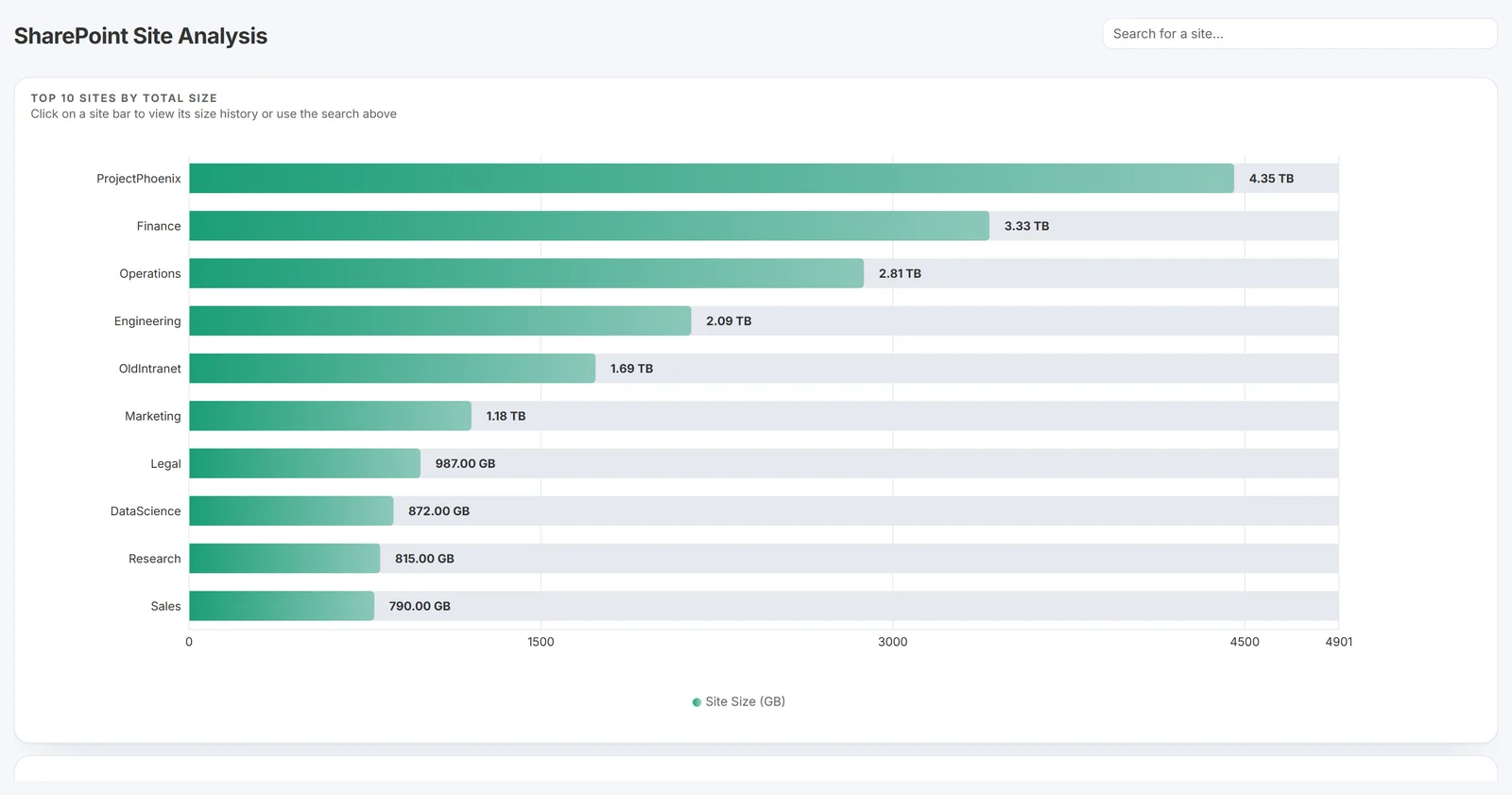
Squirrel is the SharePoint archiving solution that automatically moves inactive SharePoint Online documents into archive storage in your own Azure Blob account. Most enterprises save 60-85% on their SharePoint storage costs - without users ever noticing a file moved.
Evaluating vendors? Get the Buyer's Checklist
SharePoint storage cost typically saved
User-led restore from inside SharePoint
Archive data resides in your Azure subscription
Features
Everything you need to archive at scale.
In business since 2015. Eight years of building SharePoint tools, in one focused product.
AI document summarisation
Squirrel's Nutshell engine generates a concise summary of every archived document and embeds it in the SharePoint stub - keeping content findable for users, SharePoint Search and Copilot.
Up to 85% cost reduction
Move cold SharePoint documents into cheap Azure Blob tiers. Most enterprises save 60-85% on their SharePoint storage costs with Squirrel running.
One-click self-service restore
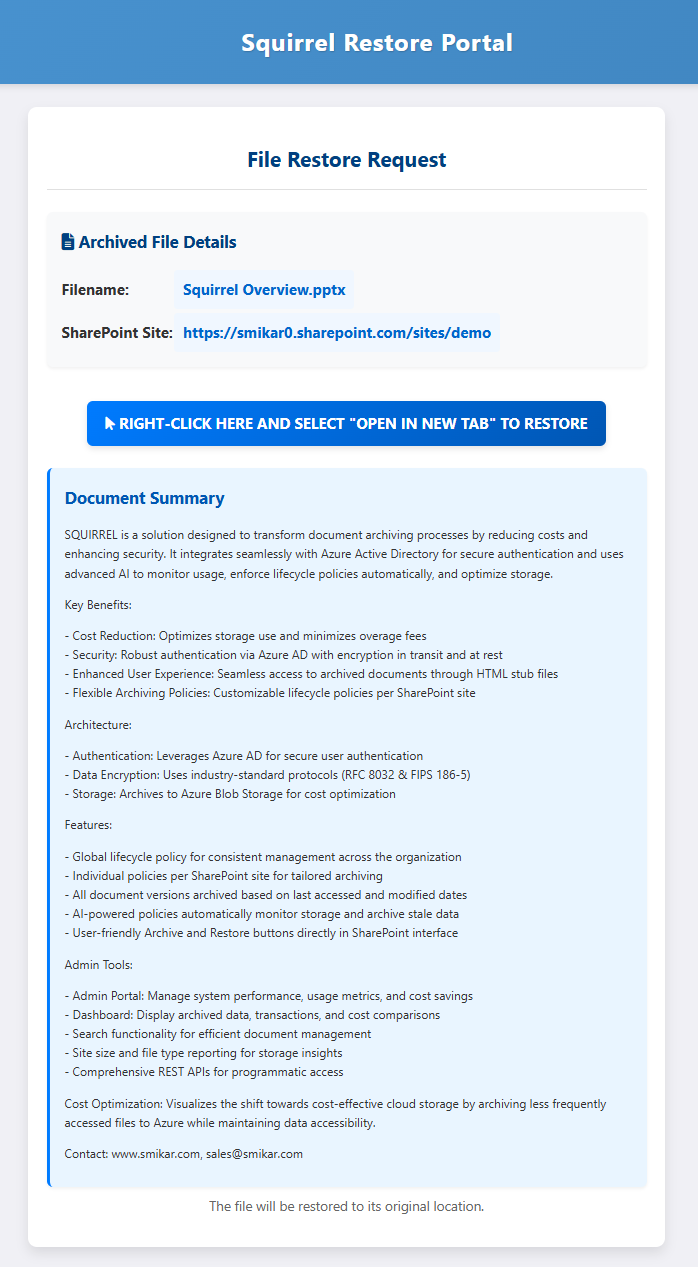
Archived files leave a stub in SharePoint with the original name. Users restore in one click, immediately - archives sit in the Azure Cool tier, so there is no rehydration wait and no restore fee from Squirrel. No IT ticket required.
Data stays in your tenant
Your SharePoint archive storage is your own Azure Blob Storage account in your subscription. Encrypted at rest, compressed before upload, governed by your policies - the archived data never leaves your Azure.
Findable while archived
Stub files stay indexed by SharePoint Search, the OneDrive client and Microsoft Copilot - so users discover and cite archived content without rehydrating it first.
Deployed in your region
Squirrel runs in the same Azure region as your tenant - keeping data residency, latency and compliance aligned.
Doesn't break OneDrive sync
Squirrel's stubbing leaves a lightweight placeholder file in the OneDrive-synced SharePoint folder, so the sync client keeps working and the folder tree stays intact in File Explorer - no sync errors, no broken or missing folders. Users click any stub to rehydrate the file on demand from your Azure storage. Unlike Microsoft 365 Archive, which strips a file's sync state and pushes users to the SharePoint web UI, Squirrel restores from where people already work.
Comprehensive reporting
Track usage, savings, lifecycle activity and storage growth across every site and library - built for compliance, surfaced for ops.
Performance
Why large libraries get slow
SharePoint's list view threshold is 5,000 items, and Microsoft's guidance is to keep a synced library under 300,000 items. What makes a big library slow in practice is the weight behind those items: gigabytes of version history, large files that sync clients keep re-checking, and a search index full of documents nobody has opened in years. Squirrel moves the bytes and the version chains out of the library and the index while a small stub keeps the folder tree, sync visibility and search results intact. Item counts stay the same until stubs for dead content are removed, and the archived copy remains in your Azure storage when they are.
How archiving old documents improves SharePoint performance · Microsoft Learn on large lists and libraries
Stubs that say something.
When Squirrel archives a document, our Nutshell engine writes an AI-generated summary into the stub left behind in SharePoint. SharePoint Search, the OneDrive client and Microsoft Copilot all pick that summary up - so archived content stays findable, citable and useful, even before it's rehydrated.
- Summaries embedded directly into stub metadata
- Indexed by SharePoint Search and Microsoft Search
- Copilot citations point to the right archived document
- Users decide whether to rehydrate based on what's inside
How it works
Three moving parts. No surprises.
Connect your tenant
SmiKar deploys a dedicated Squirrel instance in your Azure region, with least-privilege access to your SharePoint Online tenant and your Azure Blob Storage account.
Set lifecycle policies
Define rules for when documents should be archived - by age, last-access, library, file type, anything you can express against your SharePoint estate.
Archive runs itself
Eligible files are moved into your Azure Blob Storage account, encrypted and compressed, with searchable stubs left in their original SharePoint location.
Scope
What Squirrel does not archive
Squirrel archives files in SharePoint Online document libraries. That scope is deliberate, and it is worth being plain about what sits outside it.
- Files in SharePoint Online document libraries, selected by lifecycle policy: last modified, last accessed, file type, folder path, library or site.
- The file's version history, which comes back with the original on restore.
- Files deleted or overwritten under a retention hold, through Recycle Bin Capture, instead of leaving them in the Preservation Hold Library.
- OneNote notebooks
- SharePoint pages and Site Assets
- SharePoint lists
- SharePoint agents
- Active users' OneDrive. For people who have left, Chipmunk archives their OneDrive, mailbox and Teams chats.
Stubs appear in the SharePoint web interface, in OneDrive sync on Windows and Mac, and in Microsoft Teams. Users open an archived file by restoring it from the stub; the file is not opened from inside the Office desktop or Office Online applications.
If you stop using Squirrel
The archive is written to an Azure Blob Storage account in your own subscription and region, and that does not change when a Squirrel subscription ends. Nothing is copied to SmiKar. If you decide to leave, Squirrel restores whole sites, libraries or folders back into SharePoint in bulk before the subscription closes, so the data ends up where you want it.
- The archive stays in your Azure storage account, in your subscription and your region.
- Bulk restore of sites, libraries or folders back into SharePoint before you leave.
- No export or exit fee, and nothing is held by SmiKar.
Comparison
Squirrel and Microsoft 365 Archive at a glance
Both keep inactive content out of active SharePoint storage. They differ on where the data goes, who can bring it back, and what Copilot can still see.
| Squirrel | Microsoft 365 Archive | |
|---|---|---|
| Level | File-level, driven by lifecycle policy: last modified, last accessed, file type, folder path, library or site. | Site-level, set by a SharePoint administrator. File-level archive is user-driven: users with edit permission archive files by hand or a folder at a time. |
| Where the data lands | Azure Blob Storage in your own subscription and region, encrypted and compressed. | A cold storage tier inside SharePoint, within the Microsoft 365 tenant. |
| Who restores | Any user with access to the stub, in one click from SharePoint, OneDrive sync or Teams. No ticket. | Files: any user with read access. Sites: a SharePoint administrator; until then users see "The site is archived". |
| How long a restore takes | Immediate. Archives sit in the Azure Cool tier, so there is no rehydration wait and no restore fee from Squirrel. | Instant for 7 days after archiving, then up to 24 hours (up to 48 hours for large folders). Reactivated files cannot be archived again for 120 days. |
| Effect on site storage quota | Archived bytes leave SharePoint; the site's storage usage falls by the amount archived. | Site archive reclassifies bytes from active to archived. File-level archive does not change site storage usage or quota behaviour. |
| Copilot visibility | Nutshell writes a summary into every stub, so SharePoint Search and Microsoft 365 Copilot keep discovering archived content. | Archived content is not used by Microsoft Copilot. |
Full comparison: Microsoft 365 Archive vs Squirrel. Microsoft 365 Archive behaviour is taken from Microsoft Learn.
Evaluating your options
Not ready for a demo? Start with the checklist.
A vendor-neutral guide to evaluating SharePoint archiving: restore, data ownership, Copilot impact, compliance, lifecycle, and true cost. For M365 and IT leaders.
Prefer to read it online first? The full guide is free on the site - the PDF adds a vendor scoring grid for your shortlist.
FAQ
Questions, answered.
How much can Squirrel actually save on SharePoint storage?
Where does my archived data actually live?
Can users find and restore their archived files?
Does archiving break SharePoint Search or Microsoft Copilot?
Does archiving break OneDrive sync or File Explorer?
Is Squirrel a hierarchical storage management (HSM) solution?
Is Squirrel compatible with Microsoft Purview and retention policies?
How long does it take to deploy Squirrel?
What does Squirrel cost?
What does Squirrel not archive?
What happens if we stop using Squirrel?
Does Squirrel actually reduce our SharePoint storage usage?
More on Squirrel
All productsSee your numbers.
We'll run a free SharePoint storage assessment against a sample of your tenant and show you exactly how much storage Squirrel can recover.
Talk to us
Book a demo or request your assessment.
Tell us a little about your SharePoint Online estate and we'll take it from there - a live walkthrough of Squirrel, or a free storage assessment run against a sample of your own tenant. We reply within one business day.
- A walkthrough tailored to your tenant and governance
- A free storage assessment against your own data
- No obligation and no marketing list
Squirrel is also listed on the Azure Marketplace.
Technical deep dive
Get the Squirrel whitepaper.
The full technical case - architecture, deployment model, security controls and a worked cost-savings example for IT, security and procurement teams evaluating Squirrel.
- AI-powered stub summaries for SharePoint Search and Copilot
- Encryption at rest and in transit (RFC 8032, FIPS 186-5)
- Per-customer deployment in your Azure region - dedicated, not shared
- SharePoint vs Azure Blob Storage cost model and ROI
Customer evidence
Three customers. Over $2.1M per year saved.
Real Squirrel deployments at scales from 20 terabytes to over a petabyte - Fortune 500 healthcare, FTSE 250 engineering, and mid-market financial services. The same per-terabyte economics; three different stories.
- Fortune 500 consumer healthcare: 1.4+ PB estate, 600+ TB archived, ~$1.44M / year saved
- FTSE 250 engineering group: 460 TB to 165 TB, ~$708K / year saved, Nutshell AI for Copilot grounding
- Mid-market financial services: 20 TB archived during a planned legacy file-server migration
- ROI methodology to translate per-terabyte economics to any tenant size