How Much Does SharePoint Storage Cost in 2026?
Every SharePoint Online tenant gets 1 TB plus 10 GB for each licensed user, shared across every site in the tenant. Once you are past that, extra storage costs $0.20 per GB per month, which is $200 per TB per month or $2,400 per TB per year, billed on top of the per-user licences. SharePoint itself is no longer sold on its own: it comes inside a Microsoft 365 suite, from Business Basic at $7.00 per user per month upward, and the standalone SharePoint Online Plan 1 and Plan 2 that older pricing guides still quote are closed to new customers.
SharePoint Plans and What They Cost
| What you are buying | Price | SharePoint storage it brings |
|---|---|---|
| Microsoft 365 Business Basic | $7.00 per user per month, paid yearly | 10 GB added to the tenant allocation per licence; 1 TB OneDrive per user, held separately |
| Microsoft 365 Business Standard with Copilot | $23.50 per user per month, paid yearly | As above |
| Microsoft 365 Business Premium with Copilot | $32.00 per user per month, paid yearly | As above |
| Microsoft 365 E3 and E5, Office 365 E1, E3 and E5 | Enterprise suite pricing, per user per month | As above; OneDrive on Microsoft 365 E3 and E5 can be raised to 5 TB by an administrator |
| Microsoft 365 F1 and F3, Office 365 F3 | Frontline suite pricing | No per-licence addition; the tenant gets 1 TB flat |
| SharePoint Online Plan 1 / Plan 2 | $5 / $10 per user per month | Retiring, closed to new customers |
| Office 365 Extra File Storage | $0.20 per GB per month | Bought in 1 GB increments, no upper bound |
The Business plan prices are Microsoft's published list prices for annual subscriptions; the current figure for every suite is on Microsoft's plan comparison page. The plan tier decides what a user can do, not what storage costs: Business Basic, Microsoft 365 E5 and the retiring Plan 2 all draw on the same allocation and pay the same $0.20 per GB once it is used up, and every commercial suite that includes SharePoint contributes the same 10 GB per licence, with the frontline plans as the one exception.
Standalone SharePoint Plan 1 and Plan 2 Are Being Retired
This is the biggest change to SharePoint pricing in years, and most published guides have not caught up with it. Microsoft announced in late January 2026 that it is retiring the standalone SharePoint Online Plan 1 and Plan 2 and OneDrive for Business Plan 1 and Plan 2 SKUs, citing low demand for standalone offerings, growing instances of unintended or non-standard usage, and the operational cost of maintaining the plans.
| Milestone | Date | What it means |
|---|---|---|
| End of sale | June 2026 | No new tenants or customers after 31 May 2026. Renewals for existing customers only. |
| End of life | January 2027 | No renewals. Existing contracts continue until they expire. |
| End of service | December 2029 | All standalone plans fully retired. |
Microsoft's guidance is to move to Microsoft 365 suites, capacity packs, or pay-as-you-go storage. If you are already on a suite, nothing changes. If you run standalone plans, you have until your contract expires, and the realistic options are a Business or Enterprise suite, or taking the storage question out of Microsoft's per-GB pricing entirely. Plan 1 covered document libraries, team sites and basic search; Plan 2 added advanced search, eDiscovery and in-place holds; both carried the same storage allocation and the same $0.20 per GB above it, so standalone SharePoint was never a cheap way to buy capacity, and the route is now closed anyway.
How SharePoint Pool Storage Works
SharePoint storage is a tenant-wide allocation, not a per-site allowance. Microsoft sizes it as 1 TB for the organisation plus 10 GB for every licence that includes SharePoint: Microsoft 365 Business, Microsoft 365 and Office 365 Enterprise (the E, A and G plans), and the standalone SharePoint plans while they last. Microsoft 365 F1 and F3 contribute nothing beyond the base 1 TB, and Visio Plan 2 and Project Plan 3 and 5 add roughly 10 GB per licence. The storage allocation is one of many caps Microsoft documents; the full set, from file size to sync and hold limits, is in every SharePoint Online limit in 2026.
| Licensed users | Tenant storage allocation |
|---|---|
| 100 | 1 TB + 1 TB = 2 TB |
| 500 | 1 TB + 5 TB = 6 TB |
| 5,000 | 1 TB + 50 TB = 51 TB |
Everything that lives in a SharePoint site draws on that allocation: team sites, communication sites, the site behind every Microsoft Teams team, every stored version of every file, both stages of the recycle bin, deleted sites for the 93 days they remain recoverable, and the hidden Preservation Hold Library that retention policies write into. What does not draw on it is OneDrive. Each user's OneDrive is provisioned separately, so it neither adds to the allocation nor consumes it, and clearing out departed users' OneDrives frees no SharePoint space at all.
SharePoint Storage Explorer Overview
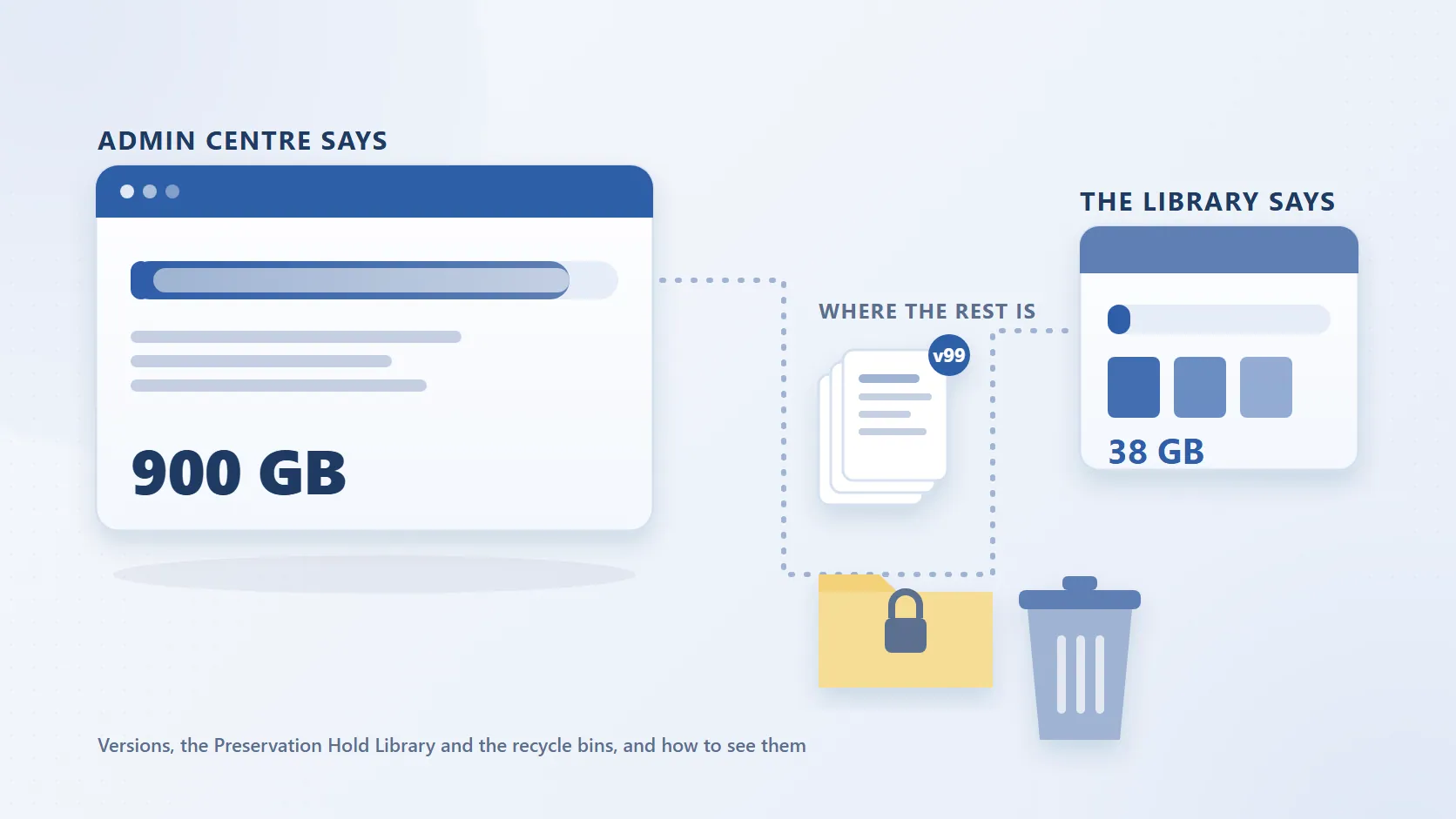
Two consequences catch administrators out. The first is that the allocation moves with the licence count. Return 200 licences after a restructure and the tenant loses 2 TB of allocation at the next recalculation while the data stays where it is; one administrator on Microsoft Q&A found their tenant at 7.2 TB against a 4.2 TB limit after licences were returned. Why your SharePoint storage quota dropped works through which licences count and what to do. The second is that the admin centre number rarely matches what users can see. A site reporting 900 GB whose libraries add up to 38 GB is not an error: the difference is version history, the Preservation Hold Library, the recycle bins and reporting lag, and why SharePoint storage does not add up shows how to find each piece.
How Much Does Additional SharePoint Storage Cost?
Once a tenant exceeds its allocation, additional SharePoint storage costs $0.20 per GB per month: $200 per TB per month, or $2,400 per TB per year, on top of the per-user licences. The rate is the same on every plan. Here is what that means at the volumes real tenants run over by, next to what the same data costs in the two cheaper tiers covered further down this page:
| Storage above the allocation | Office 365 Extra File Storage at $0.20 per GB per month | Microsoft 365 Archive at $0.05 per GB per month | Azure Blob Cool at about $0.01 per GB per month |
|---|---|---|---|
| 5 TB | $1,000 a month, $12,000 a year | $250 a month, $3,000 a year | About $50 a month, $600 a year |
| 20 TB | $4,000 a month, $48,000 a year | $1,000 a month, $12,000 a year | About $200 a month, $2,400 a year |
| 100 TB | $20,000 a month, $240,000 a year | $5,000 a month, $60,000 a year | About $1,000 a month, $12,000 a year |
How to read it: the figures use 1 TB as 1,000 GB and Microsoft's published list rates. The Microsoft 365 Archive rate is charged only once active plus archived storage exceeds the allocation, and file-level archive reclassifies bytes as archived at tenant level without reducing a site's quota usage. The Azure Blob Cool rate is Microsoft's approximate list price for locally redundant storage, varies by region and excludes transaction charges; it is the tier Squirrel restores from. The SharePoint storage calculator runs the same comparison at your own tenant size.
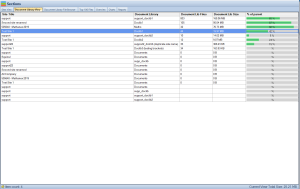
SharePoint Storage Explorer Doc Library View
Committed Add-on or Pay-As-You-Go
There are two ways to pay the $0.20. Office 365 Extra File Storage is the committed add-on, bought in 1 GB increments through the Microsoft 365 admin centre. Microsoft 365 SharePoint Storage (public preview for commercial tenants from June 2026) and Microsoft 365 OneDrive Storage (July 2026) are the pay-as-you-go alternatives: storage above the tenant or licensed quota is billed through an Azure subscription and resource group, and while enrolled the quota warning emails and admin centre banners stop because the tenant is treated as within quota. Neither is available to education, GCC or 21Vianet tenants.
The catch: pay-as-you-go removes the warnings, not the cost. Consumption becomes a line on the Azure bill instead of a quota alarm, and if you disconnect while over quota, enforcement resumes immediately.
What Happens If You Simply Do Not Buy More
Running over the limit is not a billing-only event. Microsoft states that a tenant that continues to operate above its storage limit is at risk of being put into read-only mode, where users cannot add or change content until usage is reduced or capacity is purchased.
That is the real deadline in this whole conversation. The choice is not between paying for storage and not paying for storage; it is between paying Microsoft's rate, storing less, or having the tenant go read-only. SharePoint storage limit warning covers what to do in the days after the banner appears, and how to reduce SharePoint storage covers what each clean-up tactic actually gets back and what it will not touch.
SharePoint Archive Storage Cost
Once you decide inactive content should leave the primary allocation, three cost profiles are in play, each with its own rate, restore behaviour and location.
| Option | Storage rate | Getting content back | Where the data lives |
|---|---|---|---|
| Leave content in SharePoint | $0.20 per GB per month above the allocation | Always live; nothing to restore | SharePoint Online |
| Microsoft 365 Archive (site or file level) | $0.05 per GB per month | No reactivation fee for SharePoint since 31 March 2025; reactivated content cannot be re-archived for 120 days; site reactivation can take up to 24 hours after the first 7 days | SharePoint Online, in a cold tier inside the tenant |
| Squirrel to Azure Blob Cool tier | About $0.01 per GB per month, billed by Azure | Self-service restore from the stub, immediate, no restore fee from Squirrel | The customer's own Azure Blob Storage account |
Azure's Archive tier is cheaper again, at roughly $0.002 per GB per month, but Azure applies rehydration delays and retrieval charges at that tier, which is why Cool is the usual choice for content users may still want back. Microsoft 365 Archive cuts the rate by 75 per cent and keeps the data inside SharePoint; archiving into the customer's own Azure account is roughly an order of magnitude cheaper again, in a subscription the customer controls. The full walkthrough is in Microsoft 365 Archive vs Squirrel.
Microsoft 365 Archive: Microsoft's Native Archiving Lever
Microsoft 365 Archive is Microsoft's own archiving feature: originally whole-site hibernation, now extended to file-level archive that is enabled by default on every SharePoint site once the feature is switched on. Archived storage is billed at $0.05 per GB per month instead of $0.20, charged only when archived plus active storage exceeds the allocation, and the data stays in the Microsoft tenant, in a cold tier within SharePoint, rather than moving to a storage account you control. Before committing, understand what it does and does not do:
- Reactivation timing. A site stays "recently archived" for 7 days with instant reactivation. After that, reactivation can take up to 24 hours (48 for large folders), and in the meantime users see "The site is archived" with no way back except asking an administrator.
- Re-archive restriction. The SharePoint reactivation fee was eliminated on 31 March 2025, but reactivated content cannot be archived again for four months, which limits how tightly an automated lifecycle can cycle the same files.
- File-level archive and quota. Users with edit permission can archive files and any user with read access can reactivate them, but file-level archive does not change site storage usage or quota behaviour: bytes are reclassified from active to archived at tenant level and still count toward the total. It reduces the rate, not the quota pressure.
- Copilot and search. Microsoft's FAQ answer is direct: archived content is not used by Microsoft Copilot. Archived files still show in search with an archived indicator, but content in an archived site needs an administrator to reactivate it before anyone can open it.
- Coverage. OneNote, SharePoint pages, SharePoint agents and Site Assets cannot be archived, file-level archive is SharePoint only, and archived files show errors or no indicator at all in Word and PowerPoint Online, Teams, the mobile apps and macOS OneDrive sync.
Purview retention labels and eDiscovery keep working on archived content, which is a genuine strength. For the full feature comparison see Squirrel vs Microsoft 365 Archive, and for how archive, backup, retention and inactive mailboxes fit together see Microsoft 365 backup vs archive vs retention.
OneDrive Quota Enforcement (MC1310684) and Unlicensed OneDrive Accounts
Microsoft is closing the long-standing gap where an administrator-set OneDrive quota could exceed the licensed entitlement. From July 2026 under MC1310684, a OneDrive above its licensed quota is brought back into line on the next refresh and the user goes read-only until usage drops or the licence is upgraded. The pricing implication is that data above the licensed quota now has to go somewhere. Moving it into SharePoint document libraries pushes the tenant allocation over its limit and triggers the $0.20 rate. Leaving it in a OneDrive whose licence has been removed is worse: unlicensed OneDrive accounts go read-only at 60 days and are archived at 93, and reactivating one costs $0.60 per GB plus $0.05 per GB per month, a fee that then applies to every unlicensed account in the organisation; Microsoft's own example is 100 accounts of 1 TB at $5,120 a month. The remediation steps are in the MC1310684 changes explained, and the SharePoint storage calculator models absorbing the overflow into SharePoint against archiving it to Azure.
SharePoint vs Azure Blob Storage: Microsoft's Own Question
Microsoft's Microsoft 365 Archive FAQ asks directly how Azure Blob compares, and answers that moving data out of SharePoint creates a separate security domain, drops it from the admin search index and loses metadata. Those are fair objections to copying files into a blob container with a Power Automate flow; they are not what a stub-based archive does. Squirrel writes the archived file, encrypted and compressed, into a storage account in the customer's own Azure subscription, in the same region as the tenant and under the same Microsoft Entra identities. Metadata, dates and Purview labels stay on the stub that remains in the library, so the item stays in the search index and in eDiscovery scope, and because Nutshell AI embeds a summary of the archived file in each stub, SharePoint Search and Microsoft 365 Copilot can still find and ground on content that Microsoft 365 Archive, by Microsoft's own statement, does not surface to Copilot at all.
The remaining difference is cost and control. Azure Blob Cool is priced at roughly a twentieth of the SharePoint add-on rate and a fifth of the Microsoft 365 Archive rate, and the account it sits in belongs to the customer.
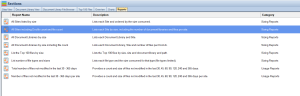
SharePoint Storage Explorer Reports
Reducing SharePoint Storage Costs with Squirrel
Squirrel is policy-based archiving for SharePoint Online document libraries. Rules based on last modified, last accessed, file type, folder path, library or site pick out the inactive files, Squirrel moves each one into Azure Blob Storage in the customer's own subscription, and a stub with the original filename plus .html stays in the library with the metadata and dates intact. Users see the stub in SharePoint, in OneDrive sync on Windows and Mac and in Microsoft Teams, and restore the original, with its full version history, themselves. Restores come from the Azure Cool tier immediately, with no restore fee from Squirrel.
That takes the bytes and version chains of every archived file out of the SharePoint allocation and onto a rate Azure bills rather than Microsoft 365, without giving up governance: Purview retention labels and legal holds survive archive and restore, every archive and restore is written to an audit trail, immutable (WORM) Azure tiers are supported, and Recycle Bin Capture archives deleted or modified files instead of leaving them in the Preservation Hold Library. If a customer stops using Squirrel the data stays in their own storage account and Squirrel bulk-restores sites, libraries or folders back into SharePoint before the subscription ends, with no export fee.
Squirrel archives document library content only, not OneNote notebooks, SharePoint pages, lists, Site Assets, SharePoint agents or active users' OneDrive. SmiKar has built SharePoint tools since 2015 and is a Microsoft Partner and Azure Marketplace ISV.
What a Real Squirrel Deployment Looks Like at Scale
A FTSE 250 global engineering group running Squirrel reversed their tenant from 460 terabytes back to 165 terabytes by archiving inactive engineering drawings, specifications, and project documentation into their own Azure Blob Storage account. They also deployed Nutshell AI so the archived engineering content stayed discoverable in Microsoft Copilot grounding. Two other documented Squirrel deployments, a Fortune 500 consumer healthcare brand owner archiving 600+ TB and a mid-market financial services firm archiving 20 TB during a planned legacy file-server migration, are summarised alongside it. Read the customer case study compilation for the full deployment detail.
Frequently Asked Questions About SharePoint Storage Pricing
How much SharePoint storage do you get with Microsoft 365?
Every tenant gets 1 TB plus 10 GB for each licence that includes SharePoint, shared across every site in the tenant, so a 500-user organisation has 6 TB. Each user's OneDrive (1 TB on most plans) is provisioned separately and is not part of that allocation. Microsoft 365 F1 and F3 licences add nothing beyond the base 1 TB.
How much does additional SharePoint storage cost?
$0.20 per GB per month, which is $200 per TB per month or $2,400 per TB per year. A tenant 5 TB over its allocation pays $12,000 a year; 20 TB over pays $48,000. The same 20 TB costs $12,000 a year in Microsoft 365 Archive and about $2,400 a year in Azure Blob Cool storage.
Is Microsoft retiring standalone SharePoint Online plans?
Yes. Microsoft announced in January 2026 that standalone SharePoint Online Plan 1 and Plan 2, and OneDrive for Business Plan 1 and Plan 2, are being retired. End of sale is June 2026 with no new customers after 31 May 2026, end of life is January 2027 when renewals stop, and end of service is December 2029. Microsoft directs customers to Microsoft 365 suites, capacity packs, or pay-as-you-go storage.
How much does SharePoint Online cost per user?
SharePoint is now priced as part of a Microsoft 365 suite. Microsoft 365 Business Basic is $7.00 per user per month paid yearly, Business Standard with Copilot is $23.50, and Business Premium with Copilot is $32.00. The retiring standalone plans were $5 and $10 per user per month.
Do you need a licence to access SharePoint Online?
Yes. Every user who opens SharePoint Online content needs a licence that includes SharePoint, which in practice means a Microsoft 365 suite now that the standalone plans are being retired. Guests invited through external sharing consume no licence of your own, and application identities using app-only permissions are also unlicensed.
Can you buy additional SharePoint storage?
Yes, in two ways. Office 365 Extra File Storage adds capacity to the allocation at $0.20 per GB per month on a committed basis. Pay-as-you-go storage bills the same rate through an Azure subscription instead, with no commitment and no quota warnings while enrolled. The third option is not buying more at all and archiving the content that is driving the bill.
How much SharePoint storage comes with E3?
Office 365 E3 and Microsoft 365 E3 contribute to the same tenant allocation as every other plan: 1 TB for the tenant plus 10 GB per licensed user, so a 500-seat E3 tenant has roughly 6 TB before extra storage is needed. E3 does not carry a larger per-user SharePoint allocation than the cheaper suites; the plan tier changes per-user functionality, not storage.
Why did my SharePoint storage quota drop?
Because the allocation is recalculated from the licence count. Every licence that includes SharePoint adds 10 GB, so returning 200 licences removes 2 TB of allocation while the data stays where it is, and a tenant can be over its limit without anyone uploading a file. Why your SharePoint storage quota dropped covers which licences count and what to do about it.
How does Squirrel reduce SharePoint storage costs?
By taking the bytes and version chains of inactive files out of the SharePoint allocation, where they cost $0.20 per GB per month above the limit, and into Azure Blob Cool storage at about $0.01 per GB per month in the customer's own account, with a stub left in the library so users can restore the original themselves. Three documented customers save over $2.1 million a year between them, and the archive can be sized in advance with the free SharePoint Storage Explorer.
Mark Smith co-founded SmiKar Software in 2015 and has spent the past decade helping organisations solve Microsoft 365 data management challenges. He works with the SmiKar team to build solutions for SharePoint archiving, storage optimisation, governance and compliance, supporting customers from growing businesses through to Fortune 500 enterprises.
More about SmiKar