What Is SharePoint Advanced Management?
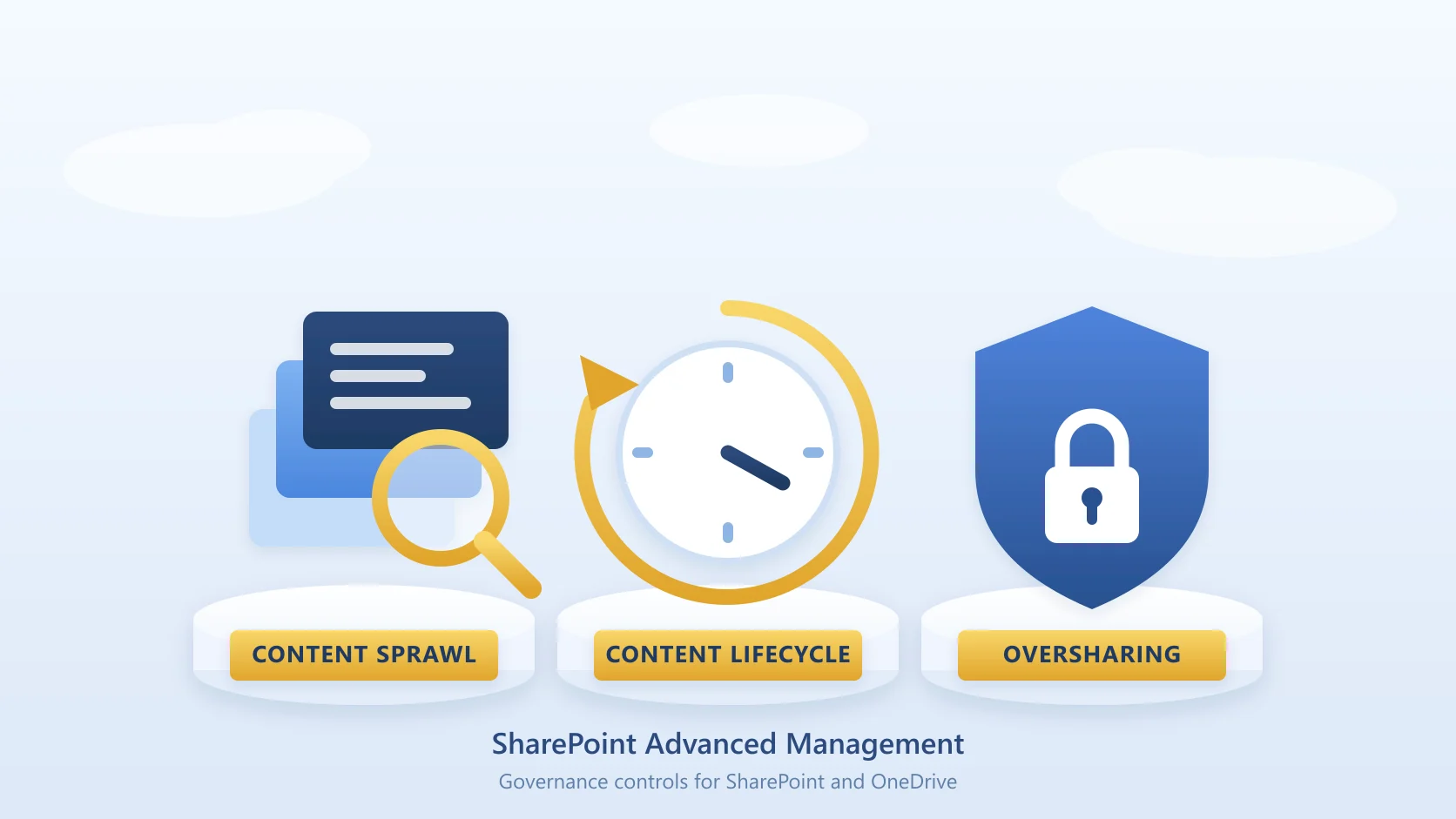
SharePoint Advanced Management (SAM) is a Microsoft governance capability set for SharePoint and OneDrive, administered from the SharePoint admin center. It covers three areas: managing content sprawl, managing the content lifecycle, and preventing oversharing.
It is not a separate console and not a storage product. It adds governance policies, reports and controls to the admin center you already use, and Microsoft positions it explicitly as preparation for Microsoft Copilot and agents, on the basis that cleaning up sprawl and oversharing improves the relevance of what Copilot returns.
The point worth understanding before you buy anything: SAM is built to tell you where your governance problems are. Acting on what it finds is mostly a separate exercise, and for storage in particular that distinction matters. More on that below.
What SharePoint Advanced Management Includes
Microsoft groups the capabilities under the same three headings used in the admin center.
Managing content sprawl
- Site ownership policy. Define who is responsible for each site, set a minimum number of owners or admins, and notify automatically when sites fall short.
- Manage inactive SharePoint sites. Detect sites with no activity and email the site owners.
- Request site attestations. Ask owners or admins to periodically confirm a site is still needed and that its owners, members, permissions and sharing settings are still correct.
Managing the content lifecycle
- Catalog management. Group sites into logical categories by region, department, user, information barrier or custom property.
- Change history reports. Track changes to individual sites or settings over the previous 180 days.
- Recent actions panel. Review admin changes to a site's properties over the previous 30 days, including renames, deletions and storage quota changes.
- Restrict site creation by apps. Control which non-Microsoft applications may create sites.
Preventing oversharing
This is the largest group, and the one that has grown most as Copilot has rolled out.
- Data access governance (DAG) reports, covering permission state across sites and files, every site a given user can reach, a sensitivity label snapshot, sharing link activity, and "Everyone except external users" exposure.
- Restricted content discovery (RCD), which stops high-risk sites and files surfacing in Copilot and agent experiences.
- Restricted access control (RAC), limiting a site to specific groups.
- Conditional Access through authentication contexts.
- Block download policies for sites, OneDrive and Teams meeting recordings.
- Site access reviews, delegating the review of DAG findings to site owners.
- Site policy comparison, using a baseline site to compare against a large set of targets.
- App, agent and AI insights, including which agents exist across your tenant and how they access content.
SharePoint Advanced Management Licensing
You need a supported base subscription, and then one of three things: a Copilot licence anywhere in the tenant, the SharePoint Advanced Management Plan 1 add-on, or Microsoft 365 E7.
The base subscription
One of the following:
- Office 365 E3, E5 or A5
- Microsoft 365 E1, E3, E5 or A5
- Microsoft 365 GCC, GCC-High or DoD
Then one of these three routes
A single Microsoft Copilot licence in the tenant. If at least one user is assigned a Microsoft Copilot licence, your SharePoint administrators get SAM capabilities that support your Copilot deployment. That user does not have to be a SharePoint administrator. This surprises people, and it is the reason many tenants already have SAM available without having bought anything labelled SAM.
The SharePoint Advanced Management Plan 1 add-on. If your subscription includes SharePoint K, P1 or P2, you can buy the Plan 1 add-on, sometimes called SharePoint Advanced Management standalone.
Microsoft 365 E7, the Frontier Suite. This bundles Microsoft 365 E5, Microsoft Copilot, Microsoft Entra Suite and Microsoft Agent 365.
The catch worth knowing
The Copilot route does not unlock everything. Some features, restricted site creation among them, still require the Plan 1 add-on. So "we have Copilot, therefore we have all of SAM" is not a safe assumption, and it is worth checking the specific capability you are planning around rather than the headline.
External users do not require a licence.
What SharePoint Advanced Management Costs
Microsoft does not publish a SAM rate in its licensing documentation, so treat any figure you find quoted elsewhere with caution and confirm it against your own channel. The Plan 1 add-on is purchased through the Microsoft 365 admin center, a Cloud Solution Provider, or volume licensing enrolment.
Two things affect the real cost more than the sticker price. First, if you already have any Copilot licence assigned, a large part of SAM is already available to you. Second, if the capability you actually want is one of the add-on-only features, the Copilot licence you already pay for will not cover it.
What SAM Does and Does Not Do for Storage
This is the part most commonly misread, and it is worth being precise about.
SAM's "Manage inactive SharePoint sites" detects inactive sites and notifies their owners by email. It does not move, archive or delete any content, and it does not reduce what you consume against the tenant storage pool.
That is a reporting and nudging capability, and a useful one. A site owner who receives the email may act. But nothing about the policy itself reclaims a byte, and the storage you were paying for before the report is the storage you are paying for after it.
If storage is the actual problem you are solving, SAM is the diagnosis rather than the treatment. The options that genuinely change your consumption are:
- Deleting content, which is the cheapest option when the content is genuinely disposable, though the second-stage recycle bin and the Preservation Hold Library both keep consuming quota until they are dealt with.
- Trimming version history, frequently the single largest reclaim available, covered in SharePoint version history storage.
- Microsoft 365 Archive, which moves content to a cold tier inside Microsoft's platform. It works at site level and at file level, reactivating an archived site is a chargeable operation, and the data stays in Microsoft's estate.
- File-level archiving into storage you own, which moves inactive documents out of the SharePoint pool into your own Azure Blob Storage account while leaving the site intact.
For a fuller comparison of those routes, see SharePoint archiving: native vs third-party solutions and Microsoft 365 Archive alternatives.
SharePoint Advanced Management vs Microsoft 365 Archive
These get conflated constantly, and they do different jobs.
SharePoint Advanced Management is governance: who owns what, who can reach what, which sites are dormant, what changed, and what is exposed to Copilot. It reports and controls. It does not relocate content.
Microsoft 365 Archive is storage: it moves content to a colder, cheaper tier while keeping it in Microsoft's platform, with its own reactivation rules and charges.
You can run both, and plenty of tenants do. What you cannot do is buy SAM expecting your storage bill to fall.
Roles and Setup
Two Entra ID roles matter:
- SharePoint Administrator, giving full administrative control over the SharePoint Online service.
- SharePoint Advanced Management Administrator, which includes everything a SharePoint Administrator can do, plus viewing metadata such as names, paths and URLs across SharePoint content, removing permissions from content at scale, and managing SAM features.
Assign either from the Microsoft Entra admin center or the Microsoft 365 admin center.
For the PowerShell side, install the current SharePoint Online Management Shell before running anything. Older versions of the module are a common source of commands that fail or behave oddly, so remove previous installations rather than layering a new one on top.
Frequently Asked Questions
Is SharePoint Advanced Management included with Microsoft 365 Copilot?
Partly. If at least one user in the tenant is assigned a Microsoft Copilot licence, SharePoint administrators receive SAM capabilities that support your Copilot deployment. That is a genuine inclusion, not a trial. But some features, such as restricted site creation, still require the SharePoint Advanced Management Plan 1 add-on, so it is not the complete feature set.
Which base subscriptions support SharePoint Advanced Management?
Office 365 E3, E5 or A5; Microsoft 365 E1, E3, E5 or A5; or Microsoft 365 GCC, GCC-High or DoD.
What is SharePoint Advanced Management Plan 1?
The standalone add-on, sometimes called SharePoint Advanced Management standalone. It applies where your subscription includes SharePoint K, P1 or P2, and it is the route to the features that a Copilot licence alone does not unlock.
Does SharePoint Advanced Management reduce SharePoint storage?
No. Its inactive site policy identifies dormant sites and emails their owners, but it does not move, archive or delete content, and it does not reduce consumption against the tenant storage pool. It tells you where to look.
Do external users need a licence?
No. External users do not require a licence for SAM.
Can I buy it through a partner?
Yes. The Plan 1 add-on is available through the Microsoft 365 admin center, a Cloud Solution Provider, or volume licensing enrolment.
What is the SharePoint Advanced Management Administrator role?
An Entra ID role that includes all SharePoint Administrator capabilities plus advanced governance ones: viewing metadata across SharePoint content, removing permissions at scale, and managing SAM features themselves.
Related reading
- SharePoint archiving: native vs third-party solutions - the full picture on what actually moves content out of the storage pool
- Microsoft 365 Archive alternatives - where native archiving stops and what fills the gap
- Buy more SharePoint storage: options and cost - the add-ons, what each costs, and the question to ask first
- How to reduce SharePoint Online storage - the practical sequence once you know what is filling the tenant
- SharePoint version history storage - usually the largest single reclaim available
- SharePoint Storage Explorer - a free way to see consumption by site, library and file type
When the Report Is Not Enough
SharePoint Advanced Management is good at telling you which sites have gone quiet. If the answer turns out to be that a large share of your tenant is content nobody has opened in years, the reporting has done its job and the storage problem is still there.
Squirrel archives inactive SharePoint documents at file level into your own Azure Blob Storage account, under your own subscription and in the region you choose, leaving a stub in place so sites and libraries stay intact for the people still using them. Retention policies and legal holds continue to apply, and archived content stays reachable to Nutshell for Copilot grounding. Questions: sales@smikar.com.
Mark Smith co-founded SmiKar Software in 2015 and has spent the past decade helping organisations solve Microsoft 365 data management challenges. He works with the SmiKar team to build solutions for SharePoint archiving, storage optimisation, governance and compliance, supporting customers from growing businesses through to Fortune 500 enterprises.
More about SmiKar