Copilot readiness is an archiving decision before it is an AI decision
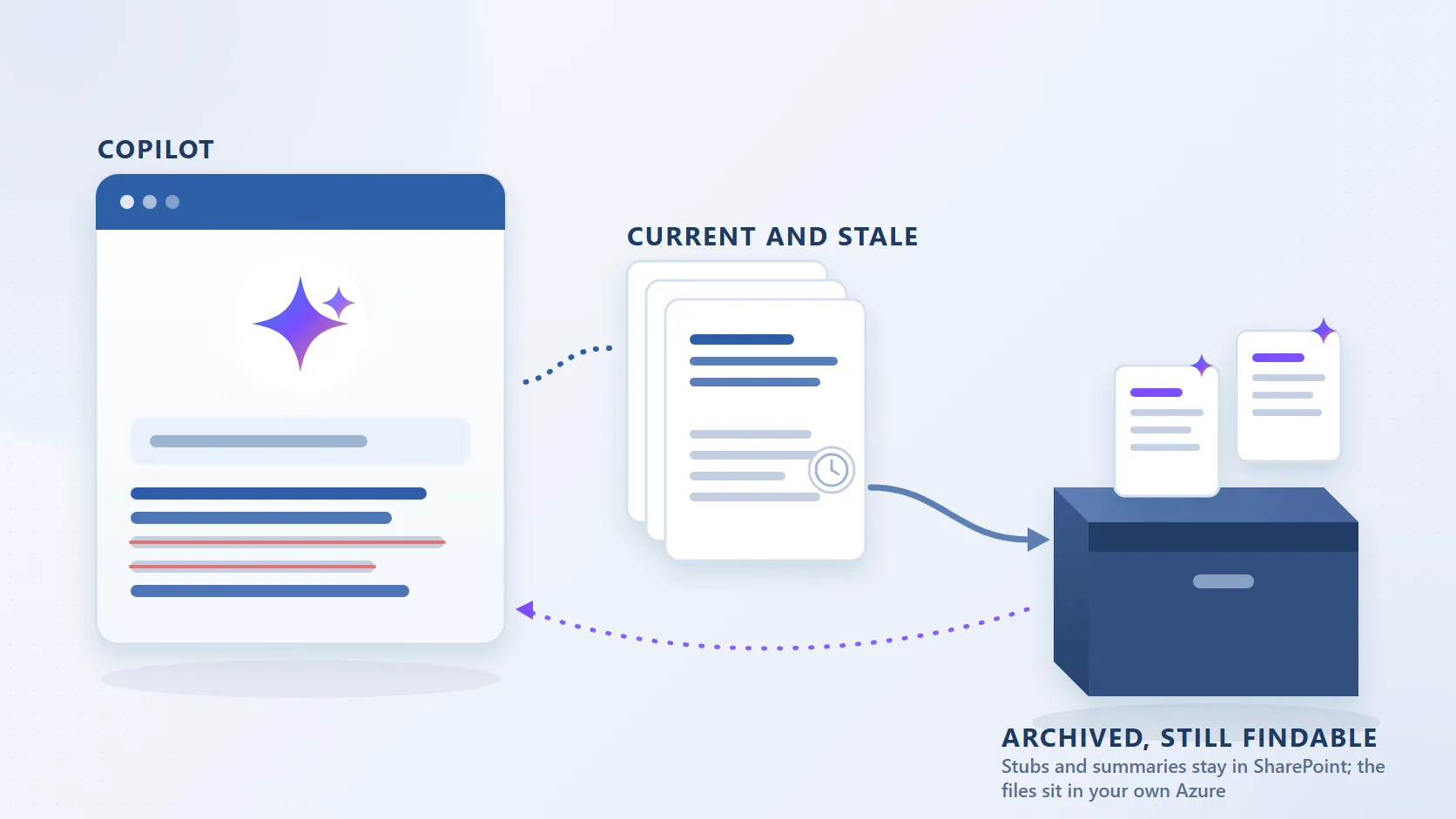
Microsoft 365 Copilot answers from whatever SharePoint search returns. It has no sense of which of three versions of a policy is current, which project folder was abandoned in 2019, or which supplier audit was superseded. Give it a tenant where most files have not been opened in years and it will quote them with the same confidence as the current ones. The organisations that have rolled Copilot out at scale say the same thing in their own words: they had to decide what to keep, what to archive and what to let go before the answers were worth trusting.
That makes Copilot preparation a storage-lifecycle problem, and it puts a hard question in front of every SharePoint team: archive so that old content disappears from Copilot, or archive so that it stays findable without polluting the answers? Microsoft's native archive does the first. A file-level archive with summaries in the stubs does the second. This page sets out what the two largest public examples did, what Microsoft's documentation says the native option does to Copilot, and how to sequence the work.
What the two largest public examples did
Both stories are Microsoft's own customer accounts of Microsoft 365 Archive, so they describe the native product, and both were written as Copilot rollouts, not as storage projects.
Kantar (Microsoft 365 Blog), a marketing data and analytics group with more than 30,000 employees across 90 countries, shut down file shares and network drives and moved everything into Microsoft 365 so that Copilot could reach it. Storage costs rose, and Microsoft's write-up is candid that the move "also runs the risk of polluting Copilot and agent behaviors with outdated, cold, and/or stale data." Kantar's collaboration lead put the requirement plainly: "for Copilot to deliver meaningful insights and support collaboration, it needed clean, centralised, and relevant data. That meant rethinking our entire data estate, retiring legacy storage, and making tough decisions about what to keep, archive, or let go." Their process is automated and opt-out: every month, sites inactive for more than six months get an email to the owner, and if nobody acts the site is archived. To date they have archived more than 40,000 sites, nearly 100 TB, and "fewer than 1% of archived sites requiring reactivation." They are piloting file-level archiving for large inactive video files.
Dentsu (SharePoint Blog), a media and creative group with more than 68,000 people, holds more than 2 petabytes in SharePoint. Its head of collaboration platforms describes the pattern most large tenants will recognise: "typically only 10% to 20% of stored files remain actively used, while the rest accumulates over time." The stated driver is the same: "As Microsoft Copilot adoption accelerates across our business, the distinction between relevant and outdated content becomes critical." One business unit's site was taken from 25 TB to 2 TB by creating a new site, moving the inactive content into it and archiving that site. Combined with version history limits, Dentsu reports SharePoint storage costs cut by 72%.
Two numbers from those stories are worth keeping in mind for any tenant. Fewer than 1% of Kantar's archived sites were ever reactivated, which says most archived content is never needed again. And 10 to 20% active at Dentsu says the other 80 to 90% is the content Copilot should not be reading first.
What Microsoft's archive does to Copilot, in Microsoft's words
Microsoft 365 Archive keeps archived content inside the tenant in a cold tier, and it removes that content from Copilot on purpose. The Microsoft 365 Archive FAQ answers the question directly: "No, archived content isn't used by Microsoft Copilot." Microsoft presents that as a feature, and for content that should never surface again it is one.
The trade-off is what else the same switch does. Content in an archived site "requires a SharePoint administrator to reactivate before it can be accessed", per the archive search overview; users see the message "The site is archived" and wait. Reactivation is instant for the first seven days and can take up to 24 hours after that, and reactivated content cannot be re-archived for four months (files: 120 days). File-level archive, now on by default when the feature is enabled, lets any user with edit rights archive a file and any user with read access bring it back, but the FAQ is explicit that "file-level archive can't be used to reduce storage usage or store data beyond a site's allocated quota", and archived files do not open in Word or PowerPoint Online, on the mobile apps or through macOS sync. The Microsoft 365 Archive reference on this site keeps those facts current against the Learn pages.
So the native answer to "keep Copilot clean" is "make the content invisible to everyone until an administrator brings it back." For dormant sites that is fine. For the inactive 80% of an active site, it is a support queue.
The objection in Dentsu's story, answered honestly
Dentsu's account contains the sentence any vendor of Azure-based archiving has to face: "Attempts to address these issues with external blob storage solutions only added layers of complexity. Exporting content outside the Microsoft 365 ecosystem created tracking challenges, complicated governance, and introduced friction for users needing to access archived materials."
That is an accurate description of a copy-out. Move files to Azure Blob or Azure Files with Power Automate, Data Factory or a sync-and-copy script and the item is gone from SharePoint, links and Teams references break, permissions and versions are dropped, retention labels do not travel, and the only way back is a ticket to whoever holds the storage account. Moving SharePoint documents to Azure Blob Storage lists what each of those routes loses.
It is not a description of a stub-based archive. When Squirrel archives a file, a stub with the original name stays in the library at the original path, carrying the metadata, dates and Purview retention label, inheriting the library's permissions, visible in SharePoint, in OneDrive sync and in Teams, and restorable by any user who can see it, in one click, with no fee and no re-archive lock. The archived bytes sit in the customer's own Azure subscription, in the same Entra tenant and region, not in a separate estate to be tracked. Every archive and restore is recorded. The tracking, governance and access friction Dentsu describes come from the file leaving SharePoint's index; the stub is how it does not.
Two things a stub-based archive does not do, so the comparison is fair. Purview eDiscovery reaches the stub's metadata and label, but a full-text export of the archived body means restoring the file first. And a whole site that nobody will touch again is better served by Microsoft's site archive than by archiving its files one by one.
The part that matters for Copilot: findable, not noisy
The goal is not to hide old content from Copilot. It is to stop Copilot treating it as current while leaving it reachable when someone asks for it by name. A stub already achieves the first half: the file's body leaves the index, so Copilot stops quoting the 2019 version of the policy. Nutshell handles the second half by writing a short AI-generated summary of the archived document into the stub, where SharePoint search and Copilot can still read it. Ask Copilot for the 2021 supplier audit and it can cite the archived document from its summary; the user opens the stub and restores the original if the full text is needed. Keeping archived SharePoint content visible to Copilot shows the before and after.
| Microsoft 365 Archive | Copy-out to Azure Blob or Files | Squirrel | Squirrel with Nutshell | |
|---|---|---|---|---|
| What Copilot sees | Nothing ("archived content isn't used by Microsoft Copilot") | Nothing | The stub's name, metadata and label | The stub plus a summary of the document |
| What users see in SharePoint | Sites: "The site is archived"; files: an archived indicator, no preview in Word or PowerPoint Online | Nothing; the item is gone | The stub at the original path, in SharePoint, sync and Teams | The same, with the summary readable in the stub |
| Who restores, and how long | Sites: an admin, up to 24 hours; files: any user with read access, instant for 7 days then up to 24 hours | Whoever has the storage account | Any user with access, immediately | Any user with access, immediately |
| Effect on storage | Site archive: reclassified to the archive tier; file-level: no reduction in site quota usage | Bytes leave SharePoint | Bytes leave SharePoint (item count unchanged: one stub per file) | Same |
| Where the data lives | A cold tier inside SharePoint | Your Azure storage account | Your Azure storage account, your region | Same |
What to archive first
Kantar's and Dentsu's sequencing is the right one for most tenants: whole inactive sites first, then the inactive content inside active sites, then the version history, with a measuring step before each.
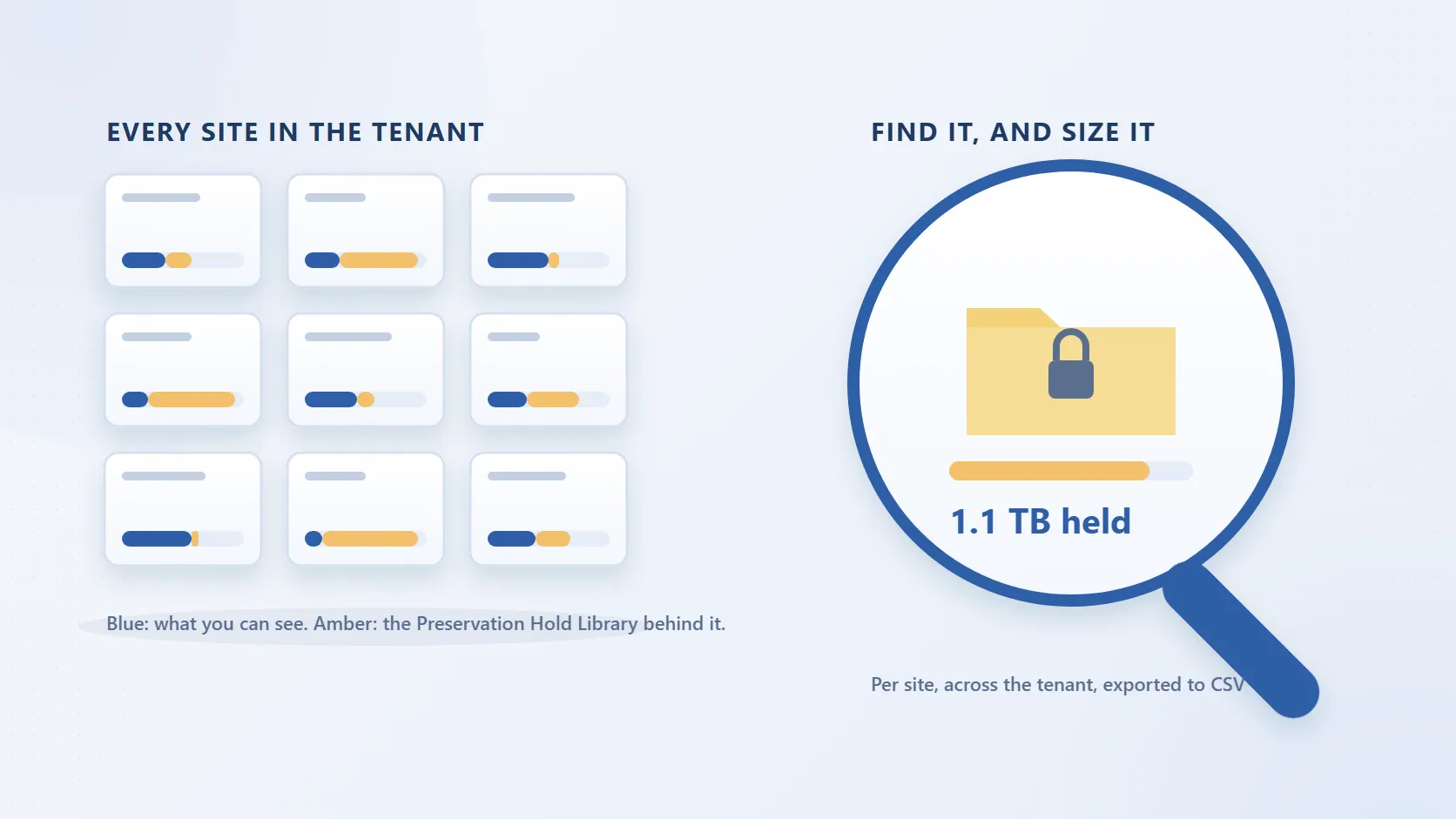
- Measure before deciding. SharePoint Storage Explorer shows storage by site, library, folder and file, with an inactive-content report and, on a deep scan with file versions, the version history per file. How to see what is using your SharePoint storage covers the admin-centre and PowerShell routes if you prefer them.
- Archive dormant sites whole. Sites nobody has touched in six months are Microsoft 365 Archive's best case, and an opt-out notification process like Kantar's scales. SharePoint Advanced Management's site lifecycle policy automates the identification.
- Archive the inactive files inside active sites by policy. This is where the 80 to 90% lives and where site archive cannot help without splitting sites. How much SharePoint data has not been touched in years gives the number; a Squirrel lifecycle policy on last-modified age moves those files out and leaves stubs, so the site stays intact and Copilot stops reading them as current.
- Trim version history. Dentsu paired archiving with version limits for a reason: version history is often the largest single consumer of storage, and every version is a candidate for Copilot to confuse with the current one.
- Deal with the file-server dumps and leaver OneDrives separately. Content migrated from file servers is the densest source of stale material; departed users' OneDrives are a different problem with their own deletion clock, covered by Chipmunk.
- Check what Copilot answers now. Pick ten questions your teams actually ask, run them before and after, and keep the list; it is the only test of readiness that matters.
Frequently asked questions
Q: Does Microsoft 365 Copilot use archived SharePoint content?
A: Not content archived with Microsoft 365 Archive. Microsoft's FAQ states "No, archived content isn't used by Microsoft Copilot." Content archived by Squirrel leaves the index too, except for the stub; with Nutshell, the stub carries a summary that Copilot can read and cite.
Q: Should we delete or archive stale content before rolling out Copilot?
A: Archive, unless retention rules say you may delete and nobody will ask for it. Kantar found fewer than 1% of archived sites were ever reactivated, which argues for archiving aggressively, but that 1% is why the content should stay restorable rather than deleted. Archiving versus deletion sets out the difference.
Q: Will archiving make Copilot's answers better on its own?
A: It removes the stale material Copilot would otherwise quote as current, which is the largest single cause of wrong answers in a mature tenant. It does not fix permissions oversharing or poorly named content, which Microsoft's own guidance on Copilot readiness also covers.
Q: What about Restricted Content Discovery instead of archiving?
A: Restricted Content Discovery keeps a site out of Copilot and enterprise search while leaving it live for people who navigate to it. It suits sensitive sites that must not be surfaced; it does not reduce storage and it hides the content from search for everyone.
Q: Does archiving reduce the number of items in a library?
A: Not with a stub-based archive: each archived file is replaced by a stub, so item counts stay where they were while bytes, version chains and index weight leave. Microsoft's file-level archive does not reduce site storage usage at all; site archive reclassifies the whole site to the archive tier.
Q: Where do the Kantar and Dentsu figures come from?
A: From Microsoft's published customer stories on the Microsoft 365 Blog and the SharePoint Blog, linked above. They describe Microsoft 365 Archive, and the figures are the customers' own as quoted there.
Related reading
- Keeping archived SharePoint content visible to Copilot - the before and after, and what Microsoft documents.
- Microsoft 365 Archive explained - pricing, states, limits and file-level archive, checked against Microsoft Learn.
- Microsoft 365 Archive versus Squirrel - the side-by-side, including a 10 TB worked example.
- How much SharePoint data has not been touched in years - three ways to size the cold content.
- Nutshell AI - how summaries get into the stubs.
Mark Smith co-founded SmiKar Software in 2015 and has spent the past decade helping organisations solve Microsoft 365 data management challenges. He works with the SmiKar team to build solutions for SharePoint archiving, storage optimisation, governance and compliance, supporting customers from growing businesses through to Fortune 500 enterprises.
More about SmiKar