Archive360 Alternative for SharePoint Archiving. Squirrel by SmiKar
Archive360 is a powerful enterprise data-governance platform. Per Archive360's own product page, its Archive360 Connect for Microsoft SharePoint Online moves "inactive or sensitive files to Azure storage you control based on policy criteria you define", stores data "in Azure in its native format with zero vendor lock-in", and sits inside a broad unified data-governance platform that archives content from more than twenty enterprise archives - Enterprise Vault, PSTs, IBM NSF files, Mimecast and Smarsh among them - with SEC/FINRA/MiFID II compliant WORM storage and chain-of-custody reporting. If your requirement is enterprise-wide, multi-source, heavily regulated archiving and eDiscovery, Archive360 is a serious platform worth evaluating.
But if your primary requirement is SharePoint Online storage-cost reduction, with archived data in your own Azure Blob Storage account, straightforward pricing, and one-click self-service restore, Squirrel is the specialist built for exactly that.
This page gives you an honest, factually-sourced comparison so you can make the right decision. Every claim about Archive360 links to Archive360's own product pages so you can verify it yourself.
Three Reasons Enterprise IT Teams Choose Squirrel Over Archive360 for SharePoint Archiving
A specialist SharePoint tool, not a broad governance platform
Archive360 is a unified data-governance platform. Per Archive360, it consolidates more than twenty enterprise archives - Enterprise Vault, PSTs, IBM NSF files, Mimecast and Smarsh among them - alongside Microsoft 365, all managed through one platform with eDiscovery connectors for Exterro and Microsoft Purview. That breadth is genuinely valuable if your problem spans the whole enterprise data estate.
Squirrel is purpose-built for one thing: SharePoint Online archiving. If your requirement is specifically SharePoint Online storage-cost reduction, a specialist tool built for that exact problem is simpler to configure, easier to run day to day, and does not ask you to buy and operate a platform far larger than the problem in front of you.
Archived data in your own Azure Blob Storage as the standard default
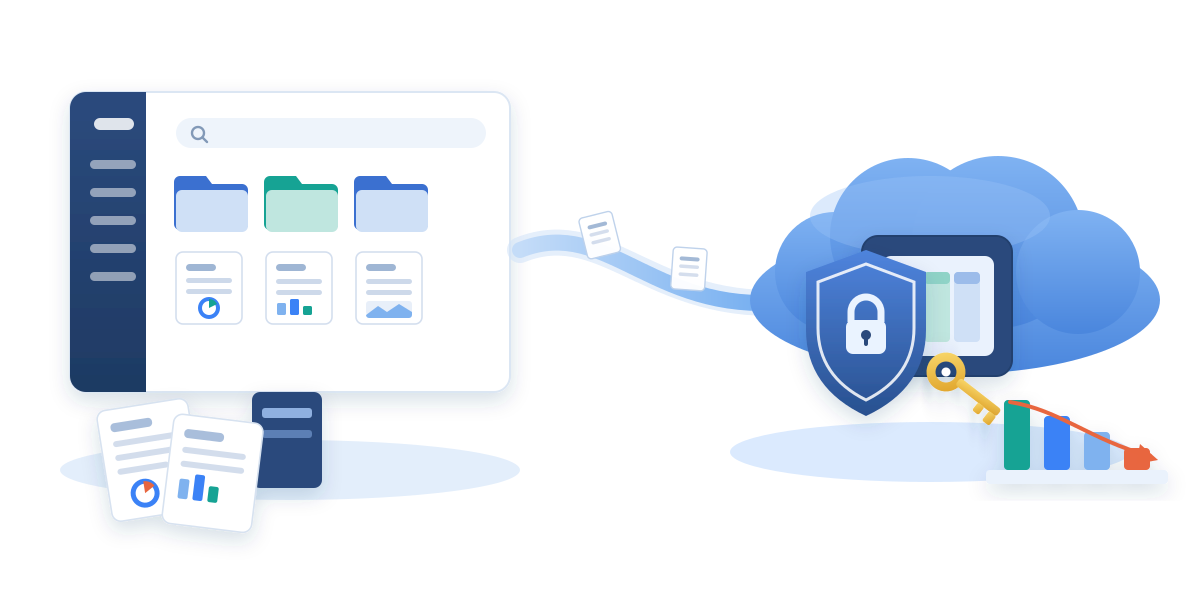
Squirrel connects to your Microsoft 365 tenant, processes data through SmiKar's managed Squirrel layer, and writes archived documents directly into your own Azure Blob Storage account, in your own Azure subscription, in the region you choose. Your data never sits in SmiKar infrastructure. Squirrel is also listed on the Azure Marketplace.
Archive360's page states that archived data is "stored in Azure in its native format with zero vendor lock-in" within a "secure Azure tenancy". That is a strong data-ownership position, but the page does not spell out whether that Azure tenancy is your own subscription or an Archive360-managed environment. If keeping archived data in an Azure subscription you own and control is a firm requirement for your compliance or data-residency team, confirm the exact storage-ownership and contractual model with Archive360 directly. With Squirrel, your own subscription is the default, not a configuration to negotiate.
Straightforward pricing, no restore fees, and Copilot-visible archives
Archive360 does not publish pricing; its product pages route to "Contact Us", "Talk to an Expert" and "Get a free savings analysis". Squirrel's pricing is straightforward: a platform fee plus a per-terabyte rate, with no per-restore fee. Archived documents move to the Azure Blob Cool tier for immediate restores with no rehydration wait, or the Archive tier for the lowest storage cost, all billed on your own Azure invoice.
Squirrel also keeps archived content discoverable by Microsoft Copilot: Nutshell AI embeds a searchable summary in each stub so archived documents still ground Copilot answers and SharePoint Search.
Squirrel vs Archive360: Feature Comparison
Every claim about Archive360 links to Archive360's own documentation. Click through any row to verify.
| Feature | Squirrel by SmiKar | Archive360 |
|---|---|---|
| Product scope | Specialist - SharePoint Online archiving | Broad unified data-governance platform - Microsoft 365 plus 20+ enterprise archives (Enterprise Vault, PSTs, IBM NSF, Mimecast, Smarsh) |
| SharePoint Online archiving | Yes - core product | Yes - Archive360 Connect for SharePoint Online |
| Policy-based archiving (date, size) | Yes - scheduled rule-based policies | Yes - "policy criteria you define, e.g. date last accessed, file size larger than" |
| Archived data in customer's own Azure subscription | Yes - standard default | Stored "in Azure in its native format with zero vendor lock-in" in a "secure Azure tenancy"; whether that is your own subscription is not stated - confirm with Archive360 |
| Access to archived content from within SharePoint | Yes - native stub, one-click user restore | Yes - administrators access archived content in native format from within SharePoint |
| Self-service one-click end-user restore | Yes - single click in the SharePoint UI | Administrator access documented; end-user one-click restore not explicitly stated - confirm with Archive360 |
| Immutable / WORM storage | Yes - immutable Azure Blob tiers | Yes - SEC/FINRA/MiFID II compliant WORM storage with chain-of-custody reporting |
| eDiscovery | Full audit trail plus searchable export from your own Azure tenant | Yes - pre-built connectors for Exterro and Microsoft Purview eDiscovery |
| Works with active Microsoft Purview retention policies | Yes - retention labels preserved | Not documented on the SharePoint product page - confirm with Archive360 |
| Microsoft Copilot grounding on archived content | Yes - via Nutshell AI stub summaries | Not documented on the SharePoint product page |
| Archiving beyond SharePoint (email, PSTs, legacy enterprise archives) | No - SharePoint only; departed-user M365 data via separate Chipmunk | Yes - Microsoft 365 plus 20+ enterprise archives |
| Pricing model | Straightforward - platform fee plus per TB, no restore fee | Not published - contact Archive360 |
| Microsoft Partner | Yes | Yes |
Which Solution is Right for Your Organisation?
Choose Squirrel if:
- Your primary requirement is reducing SharePoint Online storage costs
- You want archived data in your own Azure Blob Storage account, in your own subscription, as the default
- You need one-click self-service restore for end users directly in SharePoint
- You run active Microsoft Purview retention policies that must stay in place during archiving
- You need Microsoft Copilot to remain effective across archived content via Nutshell AI
- Your environment is Microsoft 365 and SharePoint Online focused
- You want predictable, straightforward pricing with no per-restore fees
Archive360 may be a better fit if:
- You need to archive across many sources beyond SharePoint - email, PSTs, and legacy enterprise archives such as Enterprise Vault, Mimecast and Smarsh
- Heavily regulated compliance and eDiscovery governance (SEC, FINRA, MiFID II) across the whole data estate is the primary driver
- You want a single unified data-governance platform rather than a specialist SharePoint tool
- You are consolidating multiple legacy archives into one system
We would rather help you make the right decision than win a deal that is not the right fit. If your requirement is specifically SharePoint Online archiving with data in your own Azure tenant, retention-policy-compatible operation, and straightforward pricing, talk to us about Squirrel and we will show you exactly how it works and where your data goes.
For the wider vendor landscape - AvePoint, native Microsoft 365 Archive, Commvault, Cohesity, Veritas and the rest - structured around the questions enterprise buyers should ask any archiving vendor, see the enterprise SharePoint archiving buyer's checklist.
DISCLAIMER: All information about Archive360 on this page is sourced from Archive360's own product pages as of August 2026, and every claim links to the original source so you can verify it. Product features may change. If you believe any information is inaccurate or out of date, please contact us at sales@smikar.com and we will update it promptly. Archive360, Archive2Azure and Archive360 Connect are trademarks of Archive360, Inc. SmiKar Software is not affiliated with or endorsed by Archive360.
Frequently Asked Questions
Is Squirrel an alternative to Archive360 for SharePoint archiving?
Yes, for the specific job of SharePoint Online archiving. Squirrel archives inactive SharePoint documents to Azure Blob Storage in your own subscription, with stub files that let users restore in one click. Archive360 is a broader unified data-governance platform that archives more than twenty sources; Squirrel is a specialist focused on SharePoint Online storage-cost reduction. Which is right depends on whether your problem is SharePoint-specific or enterprise-wide.
Where does Squirrel store archived data?
In your own Azure Blob Storage account, in your own Azure subscription, in the region you choose. SmiKar does not hold a copy of your data. Archives are compressed before upload and encrypted at rest.
Does Squirrel archive email or other sources the way Archive360 does?
No. Squirrel archives SharePoint Online document libraries only. Departed-user Microsoft 365 data (OneDrive, Exchange and Teams) is handled by SmiKar's separate Chipmunk product. If you need to archive email, PSTs, or legacy enterprise archives such as Enterprise Vault, Mimecast and Smarsh alongside SharePoint, a broad platform such as Archive360 covers more sources.
Does Squirrel support compliance and eDiscovery?
Yes. Squirrel produces a full audit trail of every archive and restore event, supports immutable Azure Blob Storage tiers, and operates alongside active Microsoft Purview retention policies. Archived content stays searchable and exportable from your own Azure tenant.
Can users still find and restore archived SharePoint documents?
Yes. Squirrel leaves a stub in SharePoint with the original file name and metadata. Users see the file in its original location, search still finds it, and one click rehydrates the real content. No portal and no IT ticket.
How much does Squirrel cost compared to Archive360?
Squirrel uses straightforward pricing: a platform fee plus a per-terabyte rate, with no per-restore fee, and Azure storage billed on your own Azure invoice. Archive360 does not publish pricing and routes enquiries to its sales team, so a direct figure comparison is not possible from public information. Contact us for Squirrel pricing.
Mark Smith co-founded SmiKar Software in 2015 and has spent the past decade helping organisations solve Microsoft 365 data management challenges. He works with the SmiKar team to build solutions for SharePoint archiving, storage optimisation, governance and compliance, supporting customers from growing businesses through to Fortune 500 enterprises.
More about SmiKar