What happens to a former employee's data when the licence is removed or the account is deleted
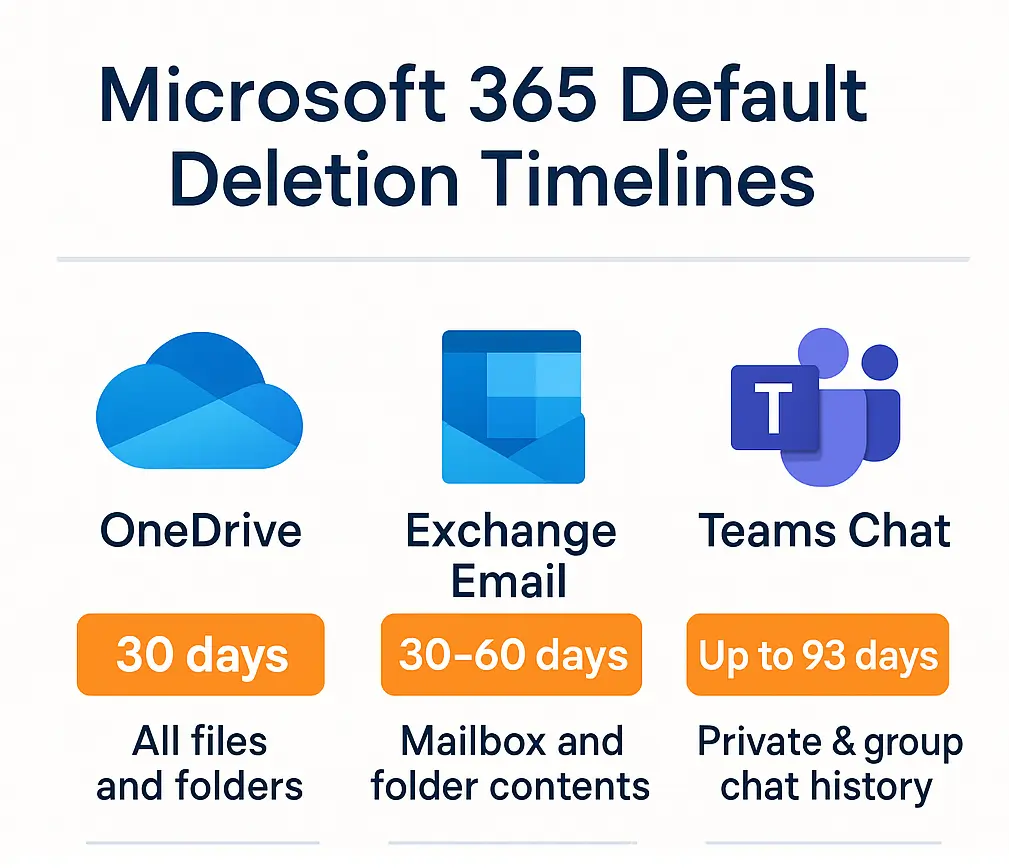
Remove the licence and the mailbox becomes inaccessible at once and is permanently deleted after 30 days unless a hold already existed, while the OneDrive turns read-only at day 60, is archived at day 93 and becomes subject to deletion at 365 cumulative unpaid days even under a hold. Delete the account and the mailbox, the OneDrive and the Teams chats are each kept for roughly 30 days by default, then purged, and Microsoft support cannot bring them back. The only way to keep mail, files and chats together without paying for a licence nobody uses is to copy them out to storage you own before either of those clocks starts.
The best ways to keep a former employee's Microsoft 365 data without a licence are: apply a Purview retention policy or hold while the account is still licensed and let the mailbox become an inactive mailbox; convert the mailbox to a shared mailbox if it is under 50 GB and only the mail matters; give a manager access to the OneDrive before day 93; or archive the mailbox, OneDrive and Teams chats together into storage you own at offboarding, which is the only route that keeps all three readable without a licence and without a compliance search.
The rest of this page sets out the timeline, what you can honestly keep without a licence, how long organisations typically retain leaver data, and the four ways of handling it, including archiving the whole footprint to your own Azure storage with Chipmunk before the licence is reclaimed.
The timeline
Microsoft is not your backup provider. Its job is to deliver the service, not to retain a former employee's data, and it starts a separate clock for each workload the moment you act on the account.
| Event | What happens | When it is gone |
|---|---|---|
| Licence removed, account kept | The mailbox becomes inaccessible immediately and its contents are permanently deleted after 30 days unless a hold existed while it was licensed; support cannot recover it. The OneDrive goes read-only at day 60, is archived at day 93 (users and admins see "The site is archived"), leaves eDiscovery at day 275 and is subject to deletion at 365 cumulative unpaid days under the policy effective 1 July 2026. Retention policies and holds do not prevent that deletion. | Mailbox: 30 days. OneDrive: 365 unpaid days, with reactivation billed from day 93. |
| Account deleted | The user is soft-deleted for 30 days and can be restored with the mailbox intact. After that the mailbox is permanently deleted unless a hold converted it to an inactive mailbox. The OneDrive is kept for the OneDrive retention setting, 30 days by default and configurable up to 3,650 days; when you delete the user, the admin centre can email a manager a link to the files for that period. | Mailbox: 30 days. OneDrive: the retention setting, default 30 days. |
| Teams chats (either case) | Chat compliance records live in the participants' mailboxes, so a deleted user's chats are retained for 30 days unless a retention policy applies. There is no chat delegation, and there is no option in the admin centre to preserve chats when the account is removed. | 30 days after deletion. |
Microsoft documents the OneDrive milestones and fees on its unlicensed OneDrive accounts page. Office 365 for IT Pros covers the Teams chat gap for leavers and the shared versus inactive mailbox choice.
Can we keep the data without a licence?
Only part of it, and only the mailbox. The honest position, workload by workload:
- Mail, via a shared mailbox. Converting the leaver's mailbox to a shared mailbox keeps it readable in Outlook with no licence, provided it stays under 50 GB and has no archive or hold. It keeps mail, calendar and contacts, and nothing else: no OneDrive files, and no readable Teams history. Over 50 GB it needs an Exchange Online Plan 2 licence.
- Mail, via an inactive mailbox. An inactive mailbox consumes no ongoing licence, but the hold that creates it must be placed while the mailbox holds Exchange Online Plan 2, or Plan 1 plus Exchange Online Archiving. Deleting an unlicensed mailbox does not create an inactive mailbox, and the hold add-on cannot be bought on Business Basic or Business Standard.
- OneDrive. The old approach of removing the licence and leaving the account in place to keep the files ended in January 2025. Since then an unlicensed OneDrive is archived at day 93, and bringing it back costs $0.60/GB for that account plus $0.05/GB/month for every unlicensed account in the tenant once billing is enabled. A reactivated account stays active for only 30 days, and the whole account is subject to deletion at 365 unpaid days regardless of holds. Microsoft's own example is 100 accounts of 1 TB each: $614.40 to reactivate one, then $5,120 a month.
- Teams chats. There is no no-licence route at all. The records follow the mailbox.
So the only no-licence route that keeps mail, files and chats together is to copy them out to storage you own while the account is still licensed, then remove the licence. That is what the fourth option below does.
How long do organisations keep leaver data?
The figures administrators cite fall into three bands. Most organisations want a former employee's mailbox and files for 60 days to a year: long enough for handover, for a manager to find the customer promise nobody wrote down, and for the annual audit. Regulated sectors such as financial services, insurance, pharmaceuticals and healthcare typically hold employee communications for five to seven years. Some public-sector and engineering retention schedules run to ten years for project records.
Set those against Microsoft's defaults and the gap is obvious. How to keep a leaver's chats past the 30-day window comes up constantly in Microsoft 365 admin circles: in one Microsoft Q&A thread an administrator who had already tried content search without result was told that chats are kept for 30 days after deletion, that delegating them to someone else is not possible, and that the only option was to export through eDiscovery before the window expired. A seven-year policy and a 30-day default cannot both be true unless something copies the data out in between.
Why this matters, and who should care
The people who come asking for a former employee's data are rarely in IT. IT needs the files when a successor takes over; legal and compliance must produce email and chat records for a matter that surfaces long after the departure; HR and line managers need handover material and customer correspondence. Unless someone keeps a licence on the account indefinitely or copies the data out, all three eventually get the same answer: it is gone.
A worked example: offboarding a five-year employee
Sarah leaves after five years with 200 GB in OneDrive, 50,000 emails and years of project chats in Teams. IT disables her account, then deletes it to reclaim the licence.
- Within 30 days of deletion her OneDrive is purged, unless an administrator had extended the OneDrive retention setting.
- Within 30 days her mailbox is permanently deleted, because no hold was placed while it was licensed.
- Her Teams chats lived in that mailbox, so they go with it.
Six months later legal asks for the chat history from a project she ran. There is nothing to search.
Why not just use inactive mailboxes and Purview retention?
Because it works, with conditions that catch people out, and because it leaves the data in a form only a compliance officer can read. The native route is: place a Purview retention policy or hold while the account is still licensed, delete the user, and let the mailbox become an inactive mailbox that needs no licence. Here is what that route requires for each workload, and where it breaks.
| Workload | What the native route requires | Where it breaks |
|---|---|---|
| Mailbox | A retention policy, retention label, eDiscovery hold or litigation hold applied while the mailbox holds Exchange Online Plan 2 (included in Microsoft 365 E3 and E5) or Plan 1 with the Exchange Online Archiving add-on. Delete the user afterwards and the mailbox becomes an inactive mailbox. | Remove the licence first and the hold has nowhere to sit; the mailbox is deleted after 30 days. Business Basic and Business Standard tenants report they cannot buy the hold add-on at all. |
| OneDrive | A retention policy covering OneDrive, applied before the account is deleted. The deleted account's OneDrive is then preserved for the policy period. | If the account is kept but unlicensed, the OneDrive is archived at day 93 and is subject to deletion at 365 cumulative unpaid days even with a hold in place, and reactivation is billed at $0.60/GB plus $0.05/GB/month across every unlicensed account. The sequencing has to be exactly right. |
| Teams chats | A Teams retention policy that covers the user's chats before the mailbox becomes inactive, because chat records live in the mailbox. | There is no chat delegation and no admin-centre option to preserve chats at removal. If the policy was not in scope first, the chats go with the mailbox. |
| Reading anything back | A Purview eDiscovery or Content search by someone with the eDiscovery role and licence, then an export. | A manager asking for one email or one file gets a compliance workflow, not a folder. An inactive mailbox cannot be opened in Outlook and cannot receive mail. |
Done correctly, the native route costs nothing in licences once the account is deleted, and where a legal team needs Purview eDiscovery over particular former employees it is the right choice for those accounts. The three reasons organisations add an archive on top of it, or use one instead, are:
- It depends on sequencing and SKUs. Every leaver needs the right licence at the right moment and the right policies in scope. One offboarding done in the wrong order, or one account on the wrong plan, and the data is gone in 30 days with no recovery route.
- It does not give anyone a readable copy. Retention prevents deletion. It does not let a manager, HR or a project lead read a leaver's mailbox folders, browse their OneDrive or follow a Teams thread without opening an eDiscovery case.
- The OneDrive clock runs regardless. For accounts kept unlicensed rather than deleted, Microsoft's 365-day deletion applies even under a hold.
The usual objection to archiving outside Microsoft 365 is that exporting a mailbox to PST or copying a OneDrive to a file share loses structure, permissions and auditability. That is true of a manual export. It is not true of an archive built for the purpose. Chipmunk archives the mailbox with its attachments, the OneDrive files and the Teams chats, channels and shared files into your own Azure Blob Storage when the account is disabled in Entra ID, records every archive and restore job in an audit trail, keeps the archive searchable by keyword, and restores either a single email, file or chat or the whole archive into another user or onto a file share. Retention rules and immutable Azure Blob Storage tiers are yours to set. It costs $200 a month plus $10 per archived user per year, and the Azure storage is billed by Microsoft on your own invoice.
What Chipmunk is not: it is not a Purview hold and it does not integrate with Purview eDiscovery. If legal requires eDiscovery inside Microsoft 365 over particular former employees, keep the hold on those accounts and run Chipmunk alongside it for everyone else. See Microsoft 365 Backup vs Archive vs Retention vs Inactive Mailbox for the wider distinction.
The four options: licence, retention policy, manual export or automated archiving
When an employee leaves, most organisations fall into one of four approaches.
Option 1: keep the licence active
Keeping the licence preserves everything indefinitely. The problem is cost. At $39 per user per month for Microsoft 365 E3 (Microsoft's list price from 1 July 2026), keeping 100 departed users licensed costs $46,800 a year for accounts nobody uses.
Option 2: apply a Purview retention policy or hold
A hold avoids the immediate deletion of the mailbox and, once billing is enabled, is honoured on the OneDrive. It requires the right licence before deletion, adds Purview configuration, and leaves the data readable only through eDiscovery.
Option 3: export the data manually before deletion
IT can export OneDrive files, the mailbox as a PST and Teams chats through eDiscovery before disabling the account. It works for one departure and fails at scale: it depends on someone remembering, and every export is a manual job.
Option 4: archive automatically with Chipmunk
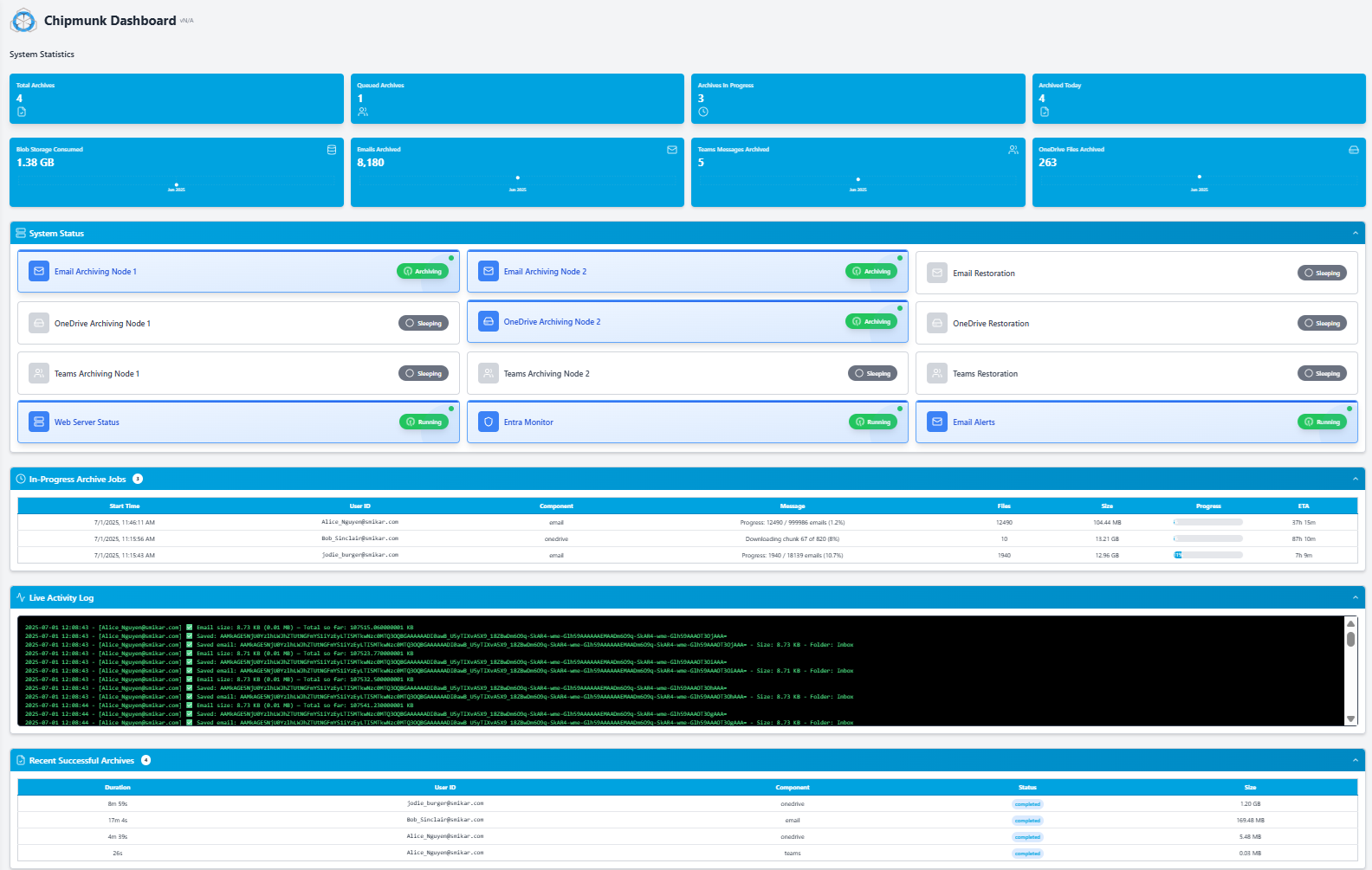
Chipmunk watches Microsoft Entra ID. When an account is disabled it archives the OneDrive, the Exchange Online mailbox and the Teams chats into your own Azure Blob Storage, confirms completion, and the licence can be removed. Nothing depends on a hold, a SKU or an administrator's memory.
How Chipmunk archives a departed user
The sequence, in plain terms:
- The user is disabled in Microsoft Entra ID.
- Chipmunk detects the change automatically.
- It copies the OneDrive with its folder structure, the mailbox, and the Teams chats, including private and group chats.
- It writes them into organised folders in your Azure storage account, in your subscription and your region.
- It updates the dashboard and emails you the result for each user.
Chipmunk gives you a searchable, readable, exportable copy of the leaver's data. It does not put chats back into the Teams client, and it does not touch active users.
What ends up in your own Azure storage
Everything Chipmunk archives lands in a storage account you own:
- Searchable and exportable for legal, HR and manager requests, across every departed user at once.
- An audit trail of every archive and every access.
- Retention on your terms, including immutable Azure tiers where a matter requires it.
- Data residency you control, in the Azure region you choose, with no dependency on a Microsoft licence or hold.
What changes on the licence bill
Keeping a disabled user's data inside Microsoft 365 usually means keeping a paid licence on the account, typically $20 to $40 a month per user, for data nobody is working on. Once the data is archived the licence can be removed; for organisations with hundreds of departures a year that is tens of thousands in avoided licence spend, before counting the OneDrive fees above.
Why getting this wrong costs more than the licence
The financial risk goes beyond the licence line. A former employee was the only person on a key client contract, and six months later a dispute needs the correspondence. A regulator asks a financial services firm for two years of a former employee's communications. HR needs a former employee's files for a tribunal. In each case, if nothing was archived before the 30-day window closed, or the OneDrive was archived at 93 days and purged at 365, there is nothing to produce. Chipmunk prevents all three by archiving the moment the departure is detected. Which of the three services a file sits in decides whether it survives at all: see SharePoint vs OneDrive vs Teams.
Frequently asked questions about departed Microsoft 365 users
Q: What happens to OneDrive when an employee leaves?
A: It depends on what you did to the account. If you removed the licence and kept the account, the OneDrive goes read-only after 60 unlicensed days, is archived at 93, leaves eDiscovery at 275 and is subject to deletion at 365 cumulative unpaid days, holds included. If you deleted the account, the OneDrive is kept for the OneDrive retention setting, 30 days by default and up to 3,650 days, and can be handed to a manager for that period; then it is deleted.
Q: How long is a deleted user's mailbox kept?
A: 30 days. The deleted user sits in the Deleted users list for 30 days and can be restored with the mailbox intact. After that the mailbox is permanently deleted, unless a retention policy, retention label, eDiscovery hold or litigation hold was applied while it was licensed, in which case it becomes an inactive mailbox and is preserved for the length of the hold.
Q: Can I keep a former employee's OneDrive without a licence?
A: Not inside Microsoft 365 for long. An unlicensed OneDrive is archived at day 93 and is subject to deletion at 365 unpaid days even if a hold exists. Before day 93 you can move the content to a SharePoint site or a licensed OneDrive; after that, reactivation is billed. The reliable no-licence option is to copy the files to storage you own, which is what Chipmunk does when the account is disabled.
Q: What does it cost to reactivate an archived OneDrive?
A: A one-off $0.60/GB for the account you reactivate, plus $0.05/GB/month for every unlicensed OneDrive in the tenant older than 93 days once billing is enabled. The account stays active for 30 days and then archives again. If the user still exists in Entra ID, assigning a licence reactivates the account without the fee, within 24 to 48 hours.
Q: Can I get a former employee's Teams chats?
A: Only while their mailbox exists, because chat records are stored there. After the account is deleted they are kept for 30 days unless a retention policy applies, and the supported export is a Purview eDiscovery search, which needs the appropriate Purview licence. There is no chat delegation and no admin-centre option to preserve chats at removal. Chipmunk archives the chats at offboarding so they can be read and exported later from your own storage. What a remaining colleague sees, and the eDiscovery route, are in Teams chat history after a colleague leaves.
Q: Can I recover Microsoft 365 data after the deletion window closes?
A: No. Once the retention window has passed and Microsoft has permanently deleted the data, support cannot recover it. Archive before the account is deleted, or as soon as possible after it is disabled. If the person later comes back, what can still be recovered is set out in rehired employee: why their mailbox is empty and their OneDrive is archived.
Q: What is the cheapest way to retain departed employee data long term?
A: Storage you own. Azure Blob Cool tier costs approximately $0.01 per GB per month, so a leaver with 10 GB across OneDrive, mail and Teams costs about $1.20 a year to retain, against $432 a year for a Microsoft 365 E3 licence kept only for the data. Chipmunk's own pricing is on the Chipmunk page.
Q: Why not just use inactive mailboxes and Purview retention instead of an archive?
A: You can, if every leaver holds Exchange Online Plan 2 or Plan 1 with Exchange Online Archiving when the hold is applied, the Teams and OneDrive retention policies are already in scope, and the account is deleted rather than left unlicensed. What you get is data that only a Purview eDiscovery search can read. An archive in your own storage removes the sequencing and licence dependency and gives managers, HR and legal a readable, searchable copy. Chipmunk does that and is not a Purview hold, so the two can run side by side where legal needs eDiscovery inside Microsoft 365.
Mark Smith co-founded SmiKar Software in 2015 and has spent the past decade helping organisations solve Microsoft 365 data management challenges. He works with the SmiKar team to build solutions for SharePoint archiving, storage optimisation, governance and compliance, supporting customers from growing businesses through to Fortune 500 enterprises.
More about SmiKar