
Retention Policies and Retention Labels: Two Different Tools, Same Admin Centre
If sensitivity vs retention labels is the first confusion that trips Microsoft Purview admins up, this is the second one. Both retention policies and retention labels live in Microsoft Purview Data Lifecycle Management. Both retain content. Both can be configured to delete content after a defined period. Both can be active on the same item simultaneously. And admins regularly pick the wrong one for the job - usually realising months later when an audit, an eDiscovery request, or a SharePoint storage bill makes the consequence visible.
This guide is the head-to-head. What each construct actually does, how Microsoft resolves conflicts when both apply to the same item, the audit failure modes when they get mixed up, and where this matters most for SharePoint specifically.
Every technical claim is sourced from Microsoft's own current documentation.
The One-Sentence Difference
- Retention policies apply to locations - SharePoint sites, OneDrive accounts, Exchange mailboxes, Teams channels - and blanket-retain everything in them.
- Retention labels apply to individual items - specific files, emails, list items - and can additionally declare those items as records with the immutability protections that records management requires.
Containers vs items. Bulk vs granular. Same Purview portal, different solutions.
What Retention Policies Actually Do
Microsoft's own framing of a retention policy:
"A retention policy lets you do this very efficiently by assigning the same retention settings at the container level to be automatically inherited by content in that container. For example, all items in SharePoint sites, all email messages in users' Exchange mailboxes, all channel messages for teams that are used with Microsoft Teams."
A retention policy is the bulk instrument. You point it at a location - or a list of locations, or an adaptive scope - and every item inside that location is retained for the period you specify. The user never touches the policy. They don't see it in their app. The retention just happens to everything in the bucket.
Retention policies can target:
- Exchange mailboxes (and Exchange public folders, separately)
- SharePoint sites (and SharePoint Embedded containers, including those used by Microsoft Loop)
- OneDrive accounts
- Microsoft 365 Group mailboxes and sites
- Teams channel messages (including shared channels)
- Teams chats (1:1, group, meeting chats)
- Teams private channel messages (until the 2025 migration completes)
- Teams call logs (new in late April 2026, PowerShell only)
- Microsoft Copilot experiences (separated from Teams chats in 2026)
- Enterprise AI apps and other AI apps
- Viva Engage community messages and user messages
- Skype for Business
Two ways to scope which locations:
- Static scope - you pick a fixed list of sites, mailboxes, or users at policy creation time. Doesn't auto-update when new ones are added.
- Adaptive scope - a Microsoft Entra query that automatically includes (or excludes) sites and users based on attributes. Updates as your organisation changes.
Three retention behaviours:
- Retain only - keep content for N years/months/days, then take no action
- Delete only - delete content older than the configured period (no retention guarantee before that)
- Retain and delete - keep for N years, then delete
What retention policies cannot do:
- Declare items as records or regulatory records (that's a label-only capability)
- Differentiate one file from the next within the same location (everything in the container gets the same treatment)
- Be applied by end users (admin-controlled only)
What Retention Labels Actually Do
Retention labels are the granular instrument. They apply to specific items - individual files, emails, list items - rather than entire locations. A single SharePoint document library can have many different retention labels applied across its files, each with different retention periods, depending on what each file actually is.
A retention label can:
- Retain or delete content with the same three behaviours as a policy (retain only, delete only, retain and delete)
- Declare an item as a record - lock the item from being edited or deleted (records can be unlocked by privileged admins; the underlying versioning is preserved in the Preservation Hold Library)
- Declare an item as a regulatory record - the strictest variant, where the item cannot be edited or deleted by anyone, including admins, until the retention period fully expires
- Trigger event-based retention - start the retention clock when a specific business event occurs (employee leaves, project closes, product lifetime ends), rather than when the file was created or modified
- Apply file plan descriptors - taxonomies like Authority Type, Citation, Function/Department, Reference ID that make labels easier to manage at scale
- Be applied automatically via auto-apply policies (based on content scanning, keyword queries, trainable classifiers, or sensitive info types)
- Be applied manually by end users in the document properties pane, the SharePoint document library view, Outlook, etc.
- Be set as a default label for a whole document library, so new items inherit the label automatically
- Trigger a disposition review at the end of the retention period - a designated reviewer must approve before the item is deleted (multi-stage reviews supported)
- Relabel to another label at the end of the retention period - the content gets a new label automatically after its current one expires
The records management capability is the big one. A document marked as a record cannot be moved, cannot be deleted while locked, and cannot be edited without creating a new version. A regulatory record is one step further - it cannot be deleted at all until its retention period fully expires, even by administrators. That level of immutability is only achievable via a retention label, never via a retention policy.
Head-to-Head Comparison
| Dimension | Retention Policy | Retention Label |
|---|---|---|
| Scope | Container / location (entire site, mailbox, OneDrive account) | Individual item (specific file, email, list item) |
| Applied by | Admin only | Admin (auto-apply, default) or end user (manual) |
| Granularity | Same retention for everything in the location | Different retention for different items in the same location |
| Can declare records? | No | Yes |
| Can declare regulatory records? | No | Yes (requires tenant pre-configuration) |
| Disposition review at end of period? | No | Yes (single or multi-stage) |
| Event-based retention (start clock from event)? | No | Yes |
| File plan descriptors (taxonomy)? | No | Yes |
| Adaptive scope (auto-update based on Entra query)? | Yes | Yes (auto-apply policy via adaptive scope) |
| Retention period changeable after creation? | Yes (other settings locked) | Yes (other settings locked) |
| End-user visibility | None - users don't see the policy | Visible in document properties, SharePoint library view, Outlook |
| Can be applied via Records Management file plan? | No | Yes |
| Can relabel at end of retention period? | No | Yes |
| Maximum scope | Entire tenant, all of SharePoint, all of Exchange, etc. | Whatever items the label is applied to (could be one file or tens of millions) |
| Default behaviour | Applies to every item in the location, including future items | Only applies to items that get labelled |
Records vs Regulatory Records: A Capability Only Labels Have
This is the most important practical difference between the two. If your compliance requirement involves declaring something as a record - meaning the file cannot be casually edited or deleted - you must use a retention label. A retention policy cannot do this.
Per Microsoft's file plan management, retention labels can mark items as:
- Standard item (not a record) - normal retention applies; the file can be edited and deleted by users, but Preservation Hold Library captures copies for compliance
- Record - file is locked from edit and delete actions; a designated admin can unlock the record temporarily; versioning of records is preserved in the Preservation Hold Library; deletion attempts are blocked
- Regulatory record - the most restrictive option; file cannot be edited or deleted by anyone, including administrators, until the retention period fully expires; the tenant must be explicitly configured to allow regulatory records before the option appears
If your audit framework requires immutable record preservation - common in financial services, healthcare, government, and pharma - retention labels are the only mechanism in Microsoft Purview that delivers it.
The Principles of Retention: Who Wins When Both Apply
Multiple retention settings will frequently apply to the same SharePoint item. A site-wide retention policy says "retain for 5 years." A retention label says "delete after 2 years." A second retention policy targeting only the user's OneDrive account says "retain for 7 years." What actually happens to the file?
Microsoft documents this as the "principles of retention," in this priority order:
- Retention wins over deletion. If one rule says retain and another says delete, retention applies. The item is kept.
- The longest retention period wins. When two rules both retain, the longer retention period takes effect.
- Explicit inclusion wins over implicit exclusion. If a policy specifically includes an item, that inclusion takes precedence over a broader policy that would have excluded it.
- The shortest deletion period wins. When two rules both delete (no retention applies), the shorter deletion period takes effect.
So in the scenario above:
- Retention policies say retain for 5 and 7 years (longest = 7).
- Label says delete after 2 years.
- Retention beats deletion → item is retained.
- Longest retention period wins → item is retained for 7 years.
- The label's "delete after 2 years" instruction is overridden by the policy's retention requirement.
This is why admins who think they've deleted content discover years later that it's still in the Preservation Hold Library: another retention rule was protecting it, and the principles of retention quietly preserved the item against the deletion intent.
When to Use Each (Quick Reference)
Use a retention policy when:
- The compliance requirement applies to everything in a location uniformly (e.g. "all SharePoint sites in the Legal department retained for 10 years")
- You don't need item-level granularity
- The items aren't records that require immutability
- You want the retention to be invisible to end users (no admin overhead per item)
- You want adaptive scope based on Microsoft Entra attributes (e.g. "all sites owned by users in the Finance department")
- The requirement is bulk preservation, not selective preservation of specific items
Use a retention label when:
- The items need to be declared as records or regulatory records (immutable)
- Different items in the same location have different retention requirements
- You need event-based retention (clock starts when a specific business event occurs)
- You need a disposition review at the end of the retention period
- You need end users to actively classify items (manual application)
- You need an auto-apply rule based on content scanning, keyword queries, or sensitive info types
Use both when:
- You want bulk coverage via a policy AND specific item-level records management via labels
- Different items in the same location need different retention but the location also has a minimum baseline retention
- Compliance requires both records management (labels) and broad bulk preservation (policy)
Audit Failure Modes
Three real scenarios where mixing them up costs the organisation.
Failure 1: Retention policy applied where records management was required
Compliance team is told customer financial records need to be preserved as immutable records under FCA requirements for seven years. Someone in Data Lifecycle Management creates a retention policy targeting the relevant SharePoint sites with a 7-year retain-and-delete configuration.
The retention works. Files are preserved. But the files are not records. Users can still edit them. Users can attempt deletion (which gets captured to the Preservation Hold Library, but the original modification or deletion attempt still completes from the user's perspective). The audit framework requires the files to be locked from modification - retention policies cannot do this. The auditor's finding: non-compliant.
The fix would have been a retention label that marks the items as records (or regulatory records, for stricter cases), then either manually applied or auto-applied to the relevant file types via Records Management file plan.
Failure 2: Retention label applied where bulk coverage was needed
Compliance team wants every document in the Legal department's SharePoint sites preserved for 10 years. Someone in Records Management creates a "Legal - 10 Year Retention" label and publishes it to the Legal department's users.
The label exists. Users could apply it to documents. But unless someone actually applies the label (manually, or via an auto-apply policy that's been configured to match the right items), most documents in the Legal department's sites get no retention at all. The team assumes their content is protected. It isn't. An eDiscovery request six months later finds half the relevant content has been deleted or modified out of existence.
The fix would have been a retention policy targeting the Legal department's SharePoint sites, with a 10-year retain configuration. Bulk, automatic, no per-item action required.
Failure 3: Both applied, conflict not understood
A 5-year retention policy on a site. A 2-year retention label on specific items. The admin assumes the label "overrides" the policy because it's more specific. It doesn't - the principles of retention say retention wins over deletion, and the longest retention period wins. The items are retained for 5 years, not 2. The compliance team's intent to dispose of certain items after 2 years is silently overridden.
The fix is to understand the principles of retention before designing layered configurations - and to use adaptive scopes or explicit exclusions to prevent unintended overlap.
How Retention Policies and Labels Interact with SharePoint Storage
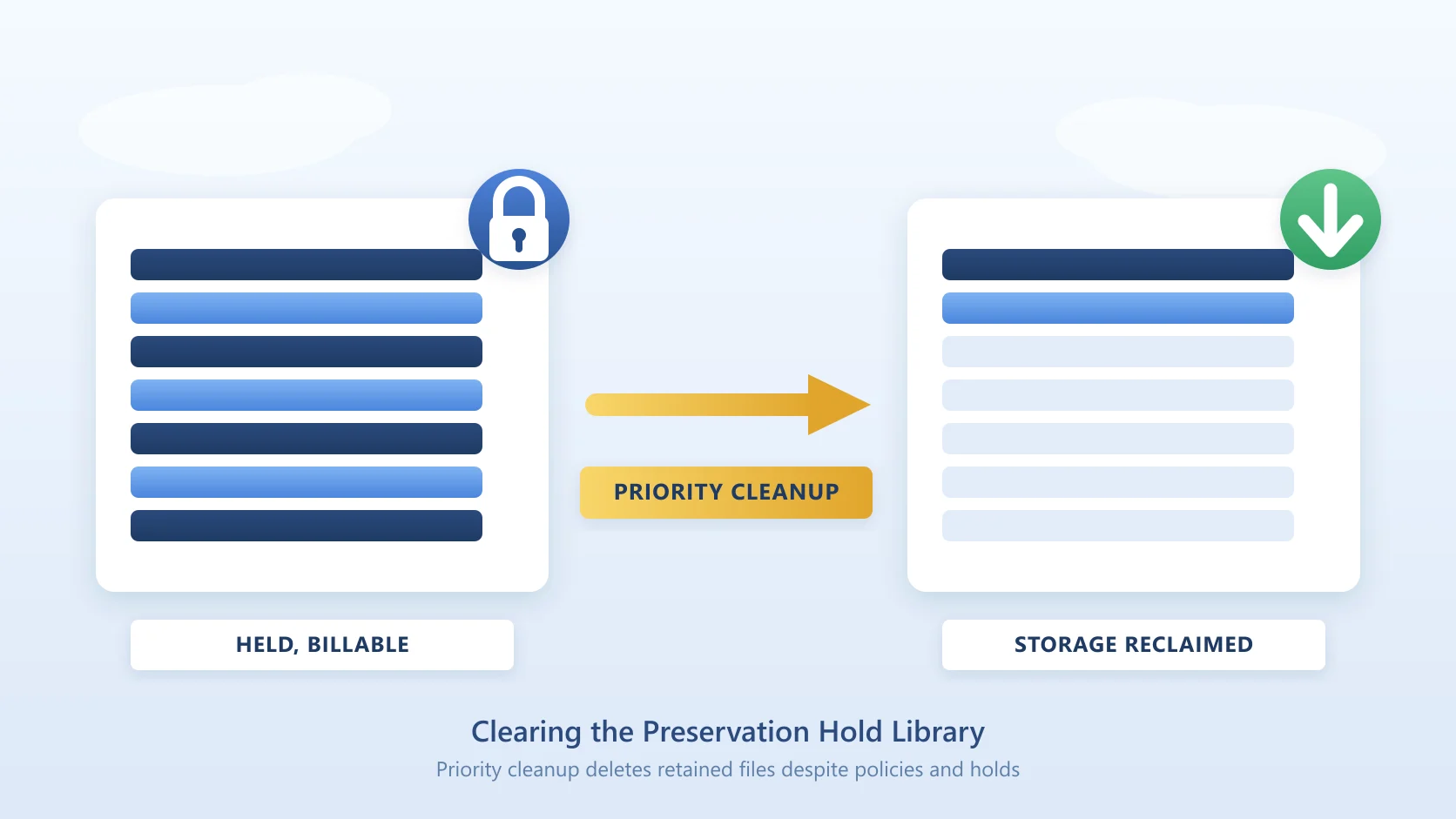
Both mechanisms route preserved content through the same SharePoint construct: the Preservation Hold Library. When a user modifies or deletes an item that's subject to a retention policy or a retention label that marks the item as a record, SharePoint quietly stores a copy in the Preservation Hold Library for the duration of the retention period.
The storage implication is the same regardless of whether the preservation came from a policy or a label: the preserved content consumes SharePoint pool storage. For tenants with active retention on substantial content volumes and frequent modification activity, the Preservation Hold Library can grow to multi-terabyte size silently. This is the mechanism behind why retention silently inflates SharePoint storage costs, and it applies equally to both retention constructs.
For the broader context on how SharePoint storage is priced and how the pool quota works, see SharePoint Online pricing.
What Survives When SharePoint Content Is Archived
Same answer as for sensitivity vs retention labels: the archiving solution has to explicitly preserve both retention configurations (policy assignment AND any per-item labels) for compliance posture to remain unchanged.
For Microsoft 365 Archive, retention policies and retention labels both continue to apply to archived sites - Microsoft's integration handles this natively. For third-party archiving, this is where vendor implementation matters: the archiver must respect any active retention period, must preserve the label, and must re-apply it correctly on rehydration.
Squirrel preserves both retention policy assignments and retention labels through the archive and restore cycle, so compliance posture continues unchanged whether content is in active SharePoint storage or archived to the customer's own Azure Blob Storage. For the head-to-head against the incumbent enterprise archiver on how labels are handled, see AvePoint alternative for SharePoint archiving.
Frequently Asked Questions
Q: Can a single SharePoint item be subject to both a retention policy and a retention label at the same time?
A: Yes - and this is common. The principles of retention determine what actually happens to the item: retention wins over deletion, longest retention period wins.
Q: Which one should I use if I just need to keep everything in a site for a fixed period?
A: A retention policy. Bulk coverage of a location with the same retention period is exactly what retention policies are designed for. Don't add the per-item overhead of labels if you don't need item-level differentiation or records management.
Q: Can a retention policy declare items as records?
A: No. Records management is exclusively a retention label capability. If you need immutability or regulatory record protection, you need a retention label that marks the item as a record (or regulatory record), applied either manually or via an auto-apply policy.
Q: Can end users apply a retention policy themselves?
A: No. Retention policies are admin-only. Only retention labels can be applied manually by end users (and only when the label has been published to those users via a label policy).
Q: How long does it take for a new retention policy to take effect after I create it?
A: Microsoft documents that it can take up to seven days for the retention policy to be distributed to the configured locations and start being applied to content. If you see errors in the distribution status, Microsoft provides PowerShell cmdlets to retry the distribution.
Q: What's the difference between a static and adaptive retention policy scope?
A: Static scope is a fixed list of locations chosen at policy creation - it doesn't update as your organisation changes. Adaptive scope uses a Microsoft Entra query so the policy's scope automatically updates as users, sites, or groups matching the query are added or removed. Adaptive scopes are recommended for any retention policy that needs to track changing organisational structure.
Q: Do retention policies and labels both contribute to Preservation Hold Library growth?
A: Yes. Both mechanisms route preserved copies through the Preservation Hold Library on the SharePoint site. The storage cost implication is identical regardless of which construct triggered the preservation - see the PHL storage trap for the broader cost picture.
Q: I deleted a SharePoint file, and it's still there in the Preservation Hold Library. Why can't I remove it?
A: Because it's under retention. Either a retention policy or a retention label (or both) is preserving the item for compliance. Microsoft's own documentation states: "It's not supported to edit, delete, or move these automatically retained files yourself. Or, change or remove retention labels and sensitivity labels for these files." Use eDiscovery to access these items if you need to review them; the retention infrastructure will release them automatically when the retention period expires.
See What's Driving Your Tenant Storage Before Designing Either
Whichever retention construct you apply, understanding where SharePoint storage is actually being consumed first makes the design defensible. SharePoint Storage Explorer is a free Windows tool that surfaces site, library, and file-type consumption across your tenant in one view - including visibility into where Preservation Hold Library growth is concentrated.
For the broader picture on how Squirrel preserves both retention policies and retention labels while reducing tenant storage consumption, see the SharePoint archiving guide or the customer case studies documenting how three enterprise customers handled the records-and-retention-vs-storage tradeoff at petabyte scale.
For the parallel comparison of the OTHER Purview label confusion (sensitivity labels vs retention labels), see sensitivity vs retention labels in SharePoint.
Mark Smith co-founded SmiKar Software in 2015 and has spent the past decade helping organisations solve Microsoft 365 data management challenges. He works with the SmiKar team to build solutions for SharePoint archiving, storage optimisation, governance and compliance, supporting customers from growing businesses through to Fortune 500 enterprises.
More about SmiKar