
Nutshell
AI Powered Summarisation Engine
Nutshell is an advanced AI-powered document summarisation feature built into Squirrel, SmiKar’s automated SharePoint Online archiving solution. It enhances archived content by embedding clear, human-readable summaries directly into stub files left behind in SharePoint after documents are archived.
This allows users, legal teams, and even Microsoft Copilot to quickly understand what archived documents contain — without needing to fully restore or open the files.
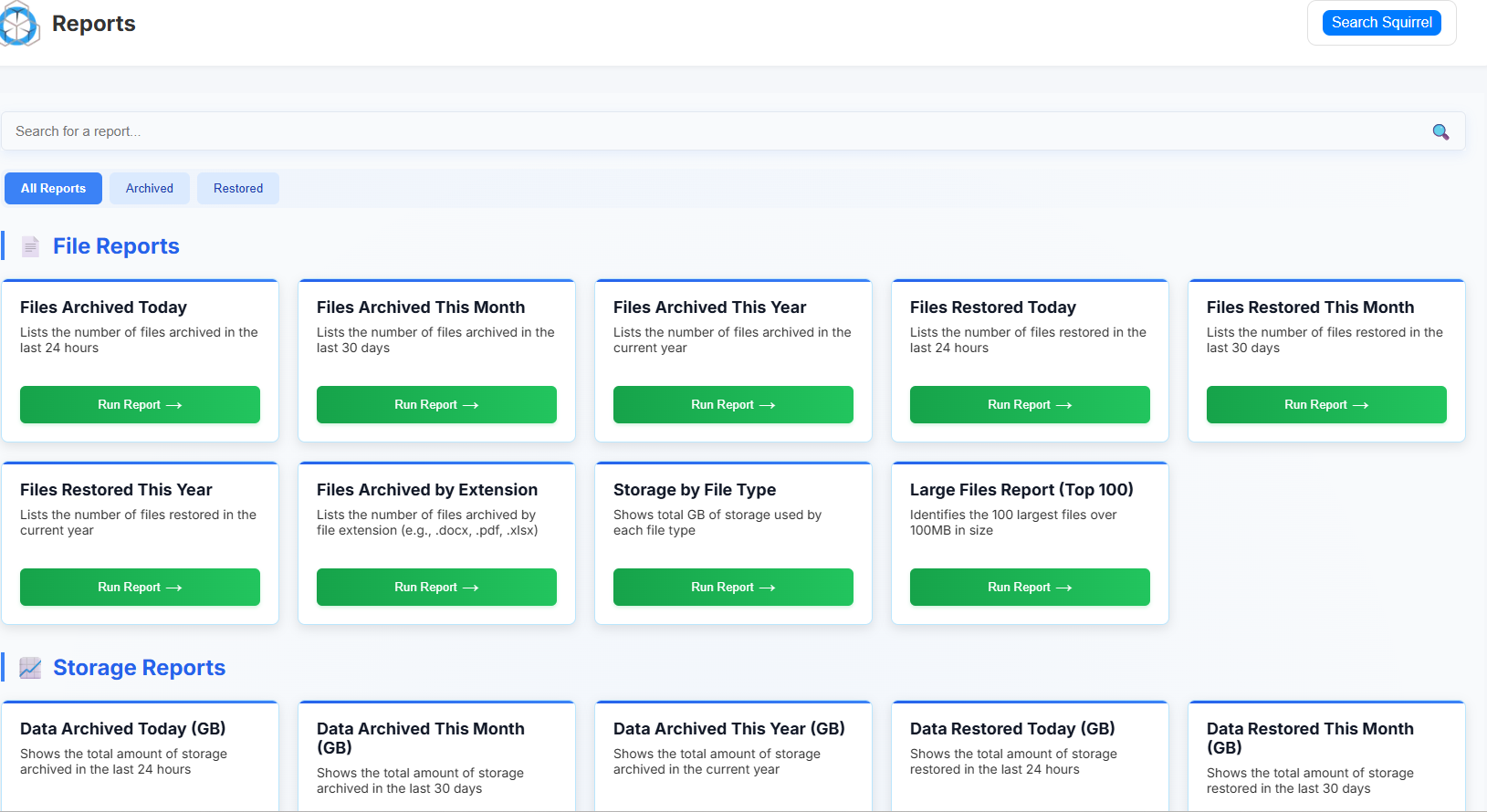
Get More from Your Archived Content
AI-generated document overviews embedded into stub files make it easy to understand what’s inside archived files without restoring them.
Enhanced Search Results
Improve SharePoint and Copilot discovery — summaries appear in search results, helping users quickly identify relevant archived content.
Faster User Decisions
Boost productivity by letting users instantly see if an archived document is relevant, saving time and frustration.
Compliance-Friendly Context
Support records and legal teams with clear, human-readable summaries that simplify audits, reviews, and retention checks.
How Nutshell Enhances Archived Files
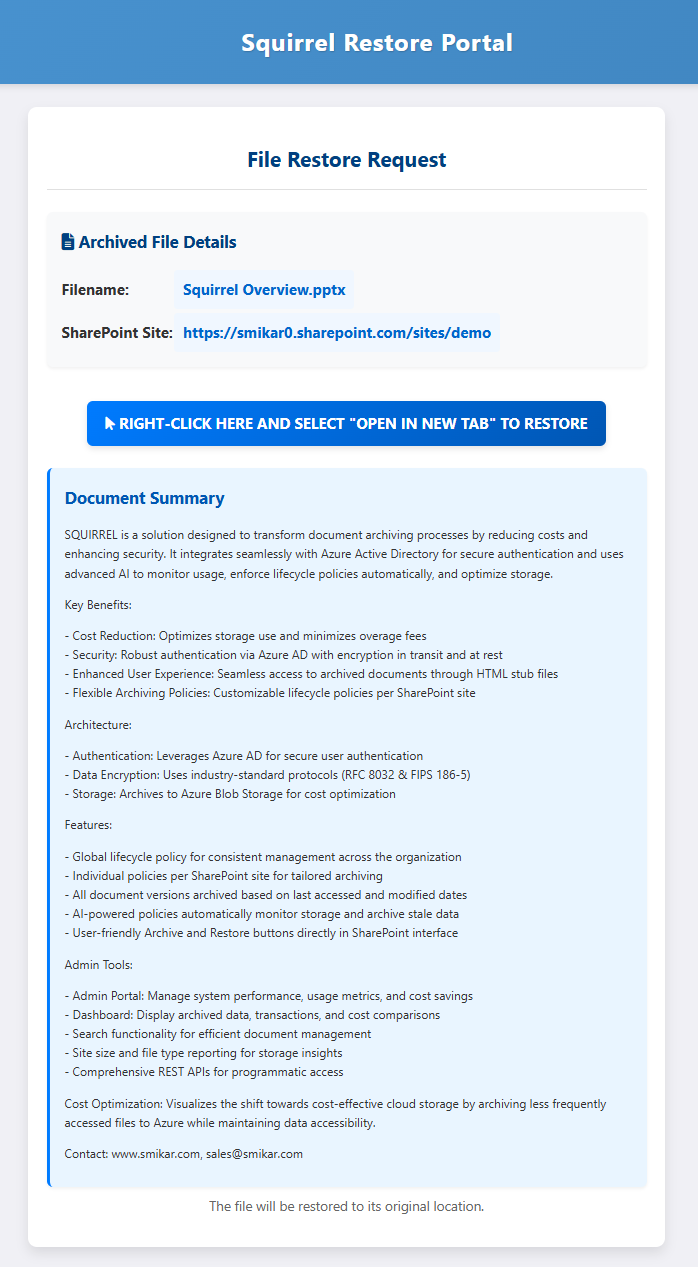
When Squirrel archives a file, it leaves behind a stub file in SharePoint — a placeholder showing the file name, location, and a restore link.
By default, these stubs contain no content information, so users, search, and Copilot cannot tell what the file was about without fully restoring it.
With Nutshell, Squirrel automatically generates a concise AI-powered summary of the document’s contents and embeds it into the stub.
This transforms stubs into searchable, content-rich placeholders.
Standard Stub (Without Nutshell)
Limitations:
-
Shows only filename, site, and restore link
-
No content description or keywords
-
Invisible to SharePoint search and Copilot
-
Users must restore files to know what’s inside
Nutshelled Stub (With Summary)
Enhancements:
-
Includes all standard stub details
-
Embedded AI-generated summary of the original document
-
Indexed by SharePoint search and Microsoft Copilot for richer results
-
Users, search, and Copilot can all understand the archived content instantly
Why It Matters
-
Boosts discoverability — summaries are indexed, so archived files show up in SharePoint searches
-
Improves Copilot accuracy — Copilot uses the summaries as context to produce better answers
-
Saves time — users don’t need to restore files just to see what they are
-
Reduces support load — legal, records, and project teams can review archived content at a glance
Configuring Nutshell AI
Nutshell includes a powerful admin console that lets you control how summaries are generated, which file types are processed, and how sensitive data is protected. This gives you full flexibility to tailor Nutshell to your organisation’s needs.
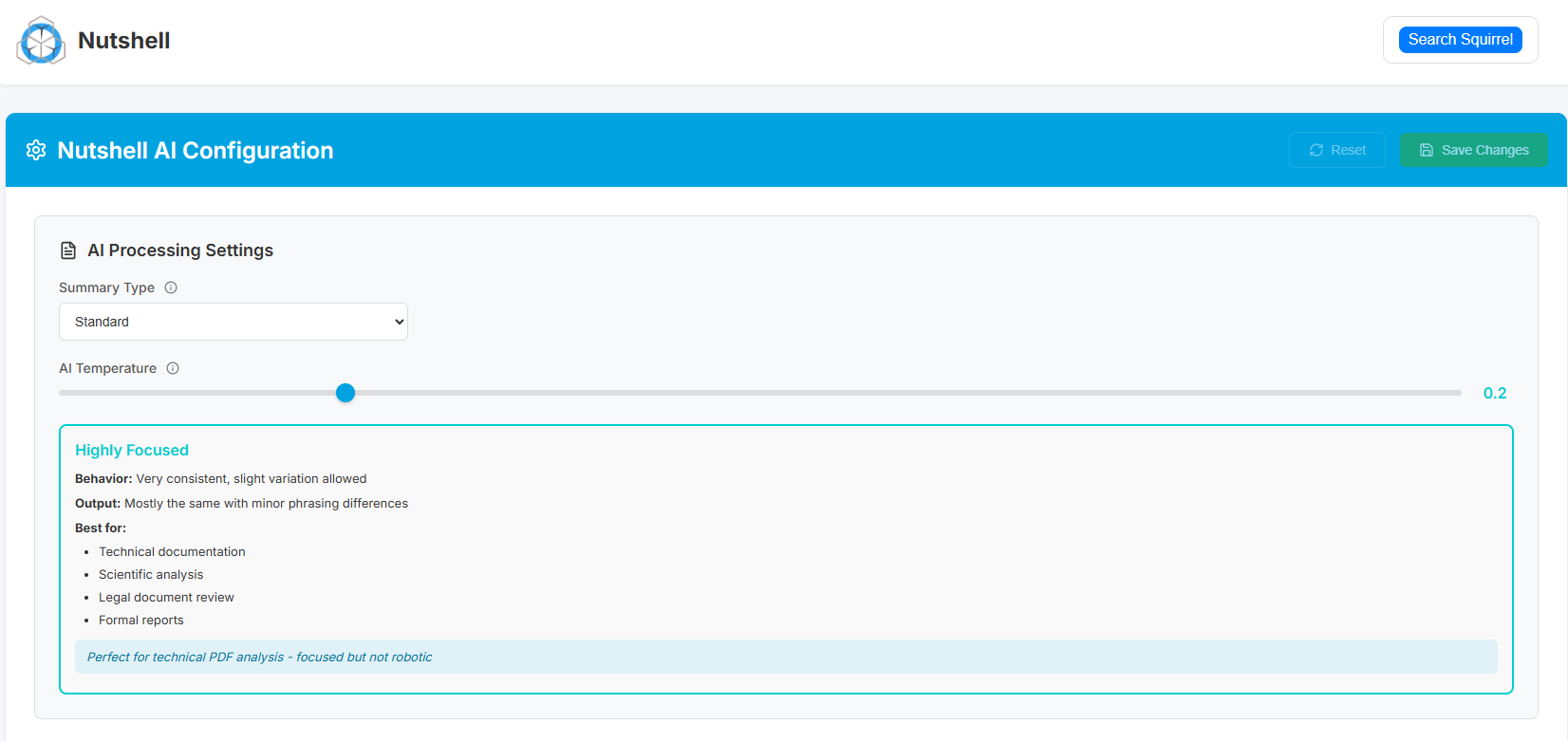
AI Processing Settings
Admins can control:
-
Summary Type — Choose from different summary styles (e.g. Standard, Technical, Executive) depending on your audience and use case.
-
AI Temperature — Adjust how creative or consistent the summaries are:
-
Highly Focused (Low temperature) – Very consistent phrasing, ideal for technical content, legal reviews, and reports.
-
Balanced (Medium) – Adds light variation while staying accurate, ideal for general business documents.
-
Exploratory (High) – More varied summaries for brainstorming-style content or informal documents.
-
This ensures you can tune Nutshell from “robotically precise” to “more human and varied,” depending on the type of content you archive.
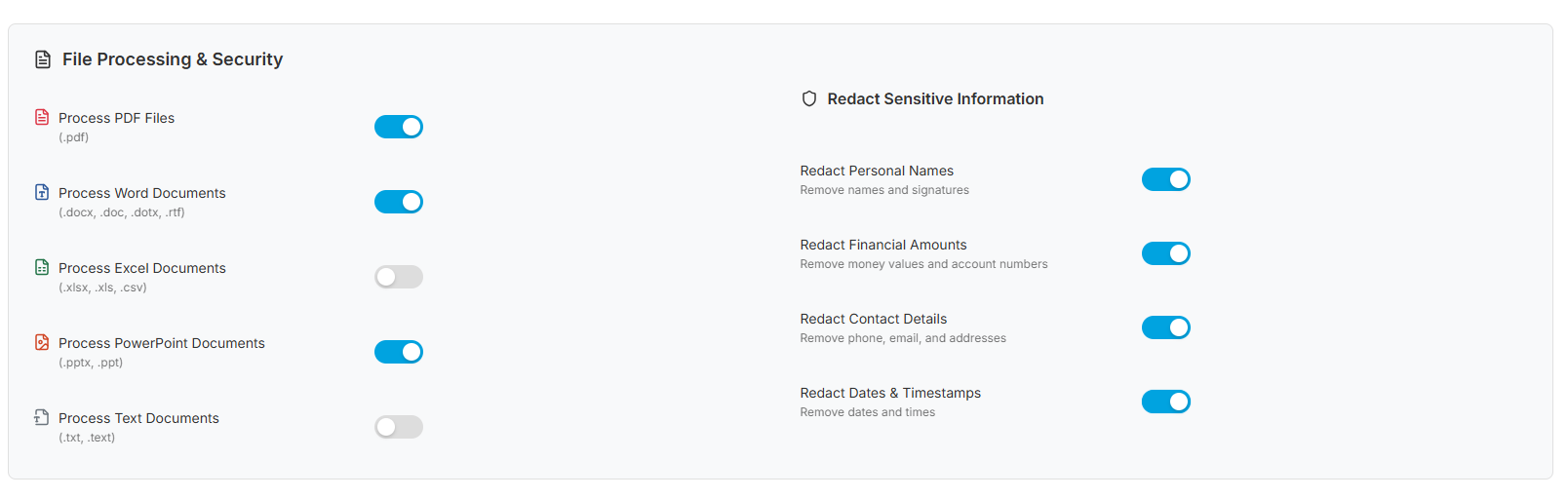
File Processing & Security
Admins can also define which file types Nutshell will summarise and whether to automatically redact sensitive information during processing.
File Types Supported:
-
PDF files (.pdf)
-
Word documents (.docx, .doc, .dotx, .rtf)
-
Excel workbooks (.xlsx, .xls, .csv)
-
PowerPoint presentations (.pptx, .ppt)
-
Text files (.txt, .text)
Built-in Redaction Controls:
-
Personal names and signatures
-
Financial amounts and account numbers
-
Contact details (emails, phone numbers, addresses)
-
Dates and timestamps
These controls help protect confidentiality and compliance requirements when processing large volumes of files.
Why Archived Content Disappears from Microsoft Copilot — and How Nutshell Fixes It
When a document is archived out of SharePoint Online using a standard archiving approach, it is removed from the SharePoint index. Microsoft Copilot queries the SharePoint index to answer questions and surface relevant content. Once a document leaves the index it becomes invisible to Copilot — even if the user knows it exists and needs it.
For organisations deploying Microsoft Copilot for Microsoft 365, this creates a significant problem. The value of Copilot depends on it having access to your organisation’s knowledge base. If years of archived project files, contracts, reports, and communications are invisible to Copilot, the tool is working with an incomplete picture of your organisation’s knowledge.
Nutshell AI solves this by embedding a human-readable summary of each archived document directly into the stub file that remains in SharePoint. The stub file — and its Nutshell summary — stays in the SharePoint index. Microsoft Copilot can read the summary, understand what the archived document contains, and surface it in relevant responses without the document needing to be restored.
The result is a Copilot that has access to your entire knowledge base — not just the fraction that happens to be in active SharePoint storage.
How Nutshell AI Works
Step 1 — Squirrel archives the document
When a document meets your lifecycle policy criteria, Squirrel moves it from SharePoint Online to Azure Blob Storage. A stub file is placed in the original SharePoint location retaining the file name and location.
Step 2 — Nutshell AI analyses the archived document
Once the document is archived and the stub is in place, Nutshell AI reads the archived document from Azure Blob Storage and generates a clear, concise plain-language summary of what the document contains. The summary captures the key topics, entities, and context needed for search and Copilot to understand the document’s relevance.
Step 3 — The summary is embedded into the stub file
The Nutshell AI summary is written back into the stub file sitting in SharePoint. The stub file now contains both the restore link and a human-readable summary of the archived document’s contents.
Step 4 — Copilot and SharePoint Search can discover the archived document
Microsoft Copilot and SharePoint Search index the updated stub file including its Nutshell summary. When a user asks Copilot a question relevant to the archived document, Copilot can surface it in its response. When a user searches SharePoint, the archived document appears in results with a summary of its contents — helping users decide whether to restore it before they do so.
Frequently Asked Questions About Nutshell AI
Q: What is Nutshell AI? A: Nutshell AI is an AI-powered document summarisation feature built into Squirrel. When a document is archived, Nutshell generates a plain-language summary of its contents and embeds it into the stub file left in SharePoint. This allows Microsoft Copilot and SharePoint Search to understand what the archived document contains without it needing to be restored.
Q: Does Nutshell AI work with Microsoft Copilot for Microsoft 365? A: Yes. Nutshell AI summaries are embedded into stub files that remain in the SharePoint index. Microsoft Copilot reads the SharePoint index and can surface archived documents in its responses based on their Nutshell summaries — without the documents needing to be restored first.
Q: Why do archived documents disappear from Microsoft Copilot without Nutshell? A: Microsoft Copilot queries the SharePoint index. When a document is archived without a stub file containing searchable content, it is removed from the index and becomes invisible to Copilot. Nutshell AI solves this by keeping an AI-generated summary of the document in the index via the stub file.
Q: Does Nutshell AI work with SharePoint Search? A: Yes. SharePoint Search indexes stub files including their Nutshell summaries. Archived documents appear in search results with a summary of their contents, helping users identify whether a document is relevant before deciding to restore it.
Q: Is Nutshell AI included with Squirrel? A: Yes. Nutshell AI is a built-in feature of Squirrel. It does not require a separate purchase or additional configuration beyond enabling it in the Squirrel dashboard.
Q: What kind of summaries does Nutshell AI generate? A: Nutshell generates clear, concise plain-language summaries that capture the key topics, entities, and context of each archived document. Summaries are designed to be readable by both users and AI systems including Microsoft Copilot, providing enough context to identify a document’s relevance without needing to open or restore it.
Turn Cold Storage Into Smart Knowledge
Most archiving tools save you storage costs but strip away usability — files become invisible to search, Copilot, and your users. Nutshell changes that. Powered by SmiKar’s own proprietary AI engine, Nutshell transforms archived files into content-aware knowledge assets by embedding clear, concise summaries directly into their stubs.
These summaries are indexed by SharePoint search and Microsoft Copilot, ensuring your historical data remains fully discoverable, useful, and actionable even after it leaves costly SharePoint storage. The result: lower costs, faster discovery, and higher productivity across your entire organisation.
Don’t Just Store It — Use It
With Nutshell AI, archived content stays discoverable and valuable, delivering insights long after it leaves SharePoint storage.
Nutshell keeps archived files searchable and usable by embedding AI summaries that SharePoint search and Copilot can understand.
Your Archives, Still Working for You